
Bilingual PDF TranslationYour Zotero AI Companion
 Gemini
 GPT
GPT Claude
 DeepSeek
 GLM
GLM Grok
Grok Qwen
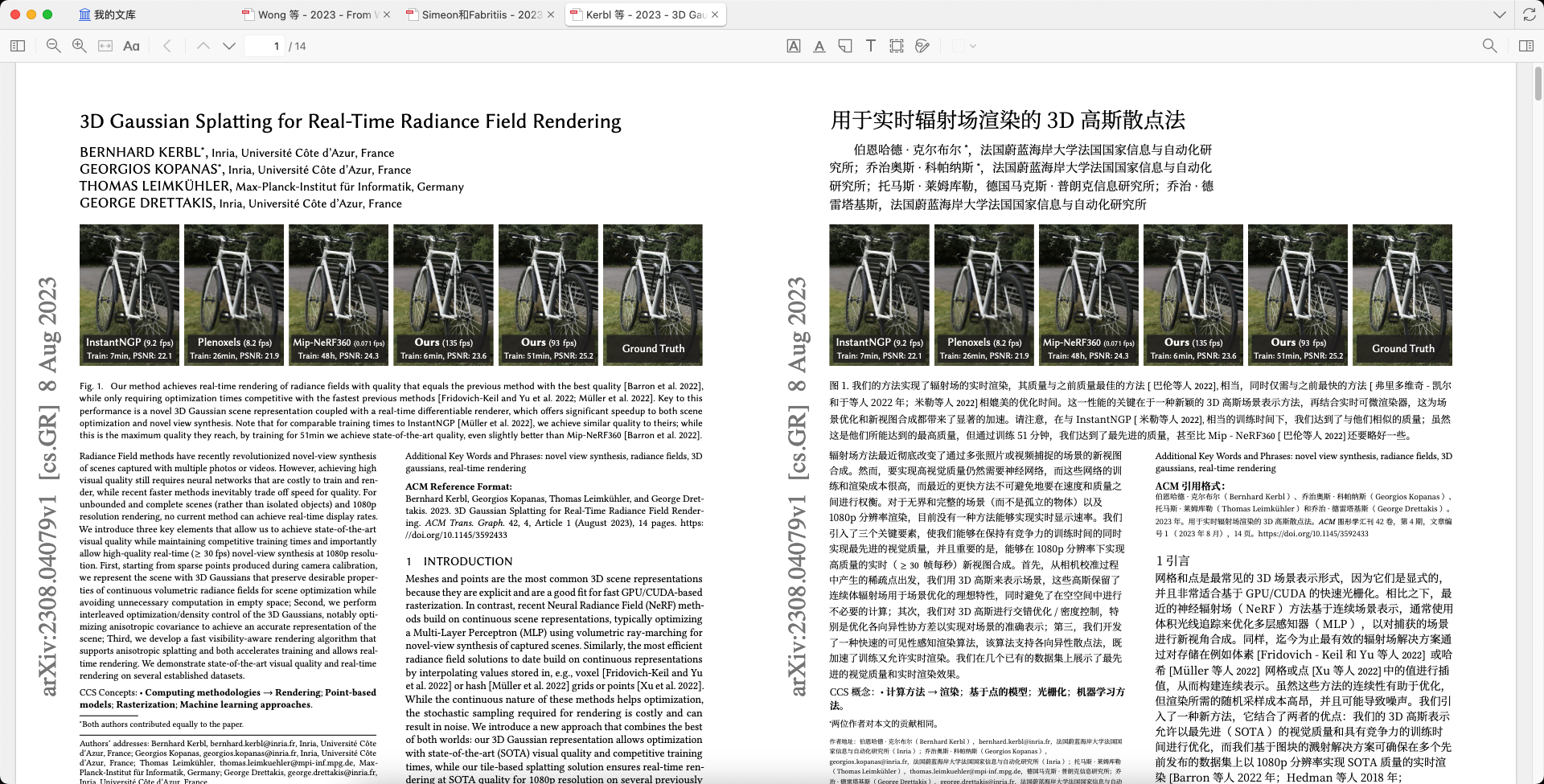
QwenPowered by the BabelDOC document parsing engine, translate foreign-language papers into high-quality bilingual versions with one click inside Zotero. Formulas, charts, and multi-column layouts remain intact.
Built for Academic Translation
Four core capabilities of the BabelDOC engine make every foreign-language paper accessible.
Perfect Layout Preservation
Advanced layout analysis technology preserves fonts, colors, multi-column structures, tables, and lists from the original document. Translated documents maintain the original's beautiful formatting.
Smart Formula Handling
Accurately identifies and handles mixed formula-text scenarios. Formula content is preserved as-is while text is intelligently translated, ensuring accurate academic content presentation.
Efficient Bilingual Reading
Translations precisely aligned with originals, supporting instant bilingual comparison mode, significantly improving reading efficiency and comprehension accuracy.
Deep Zotero Integration
Seamlessly integrates into the Zotero 7 workflow with one-click right-click translation. Supports background task management and resume capability without interrupting your research.
Start Translating in 5 Steps
From installation to use, just a few simple steps to enjoy high-quality paper translation in Zotero.
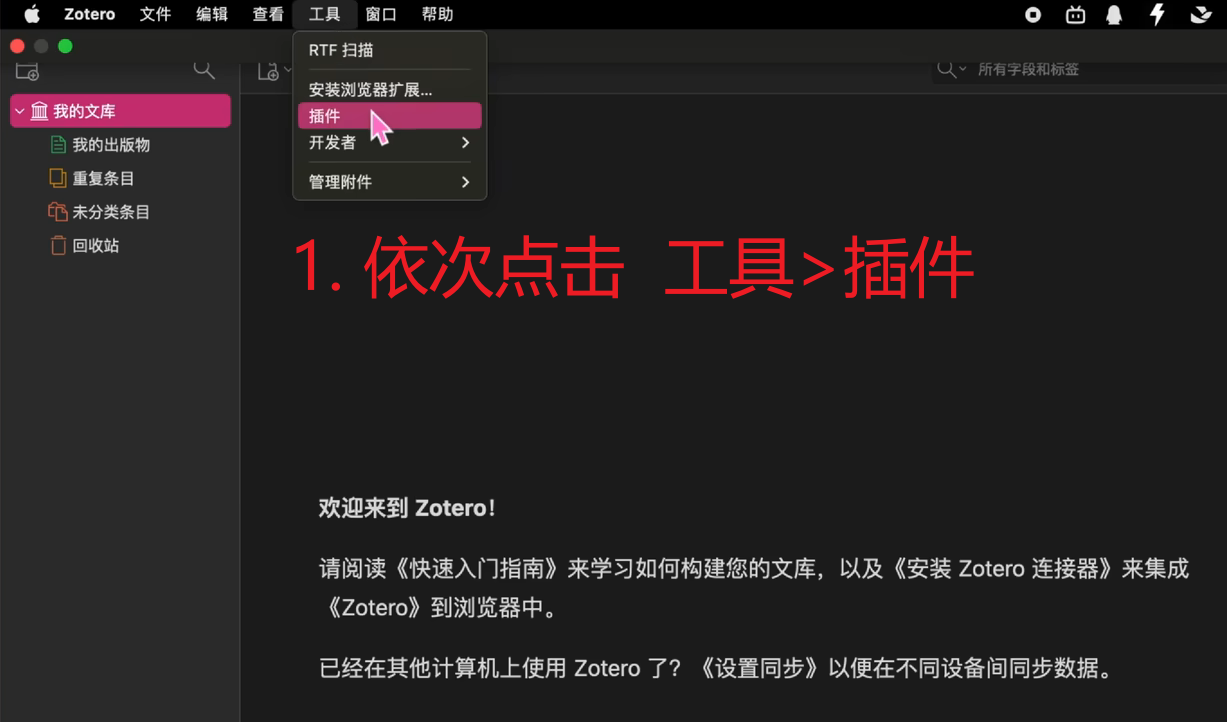
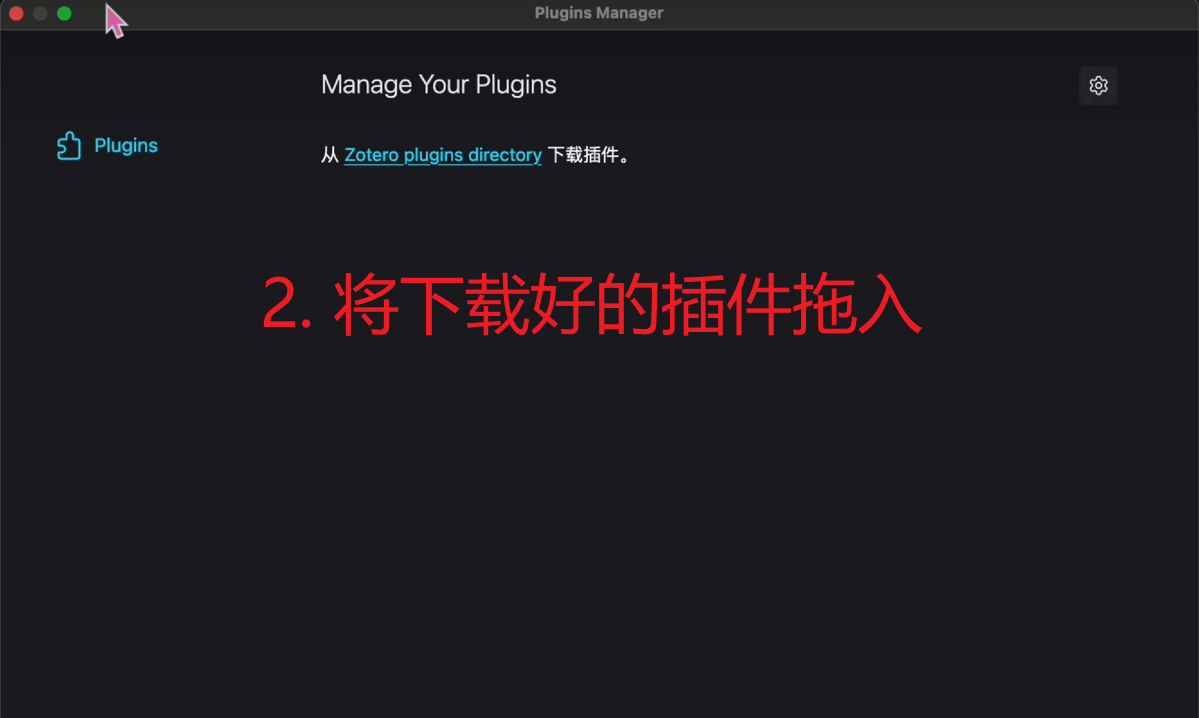
Install Plugin
Click the download button above to get the .xpi file, then follow the instructions shown to install the plugin in Zotero.
Get Auth Code
On the Immersive Translate website, go to your profile page's "Integration" section, find the Zotero BabelDOC auth code and copy it.
Profile Page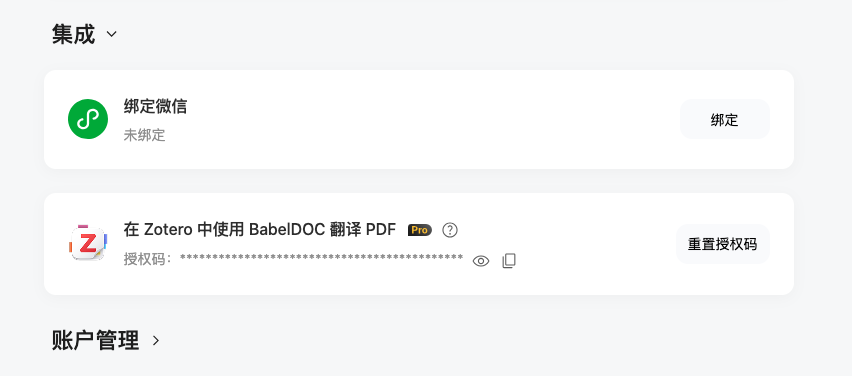
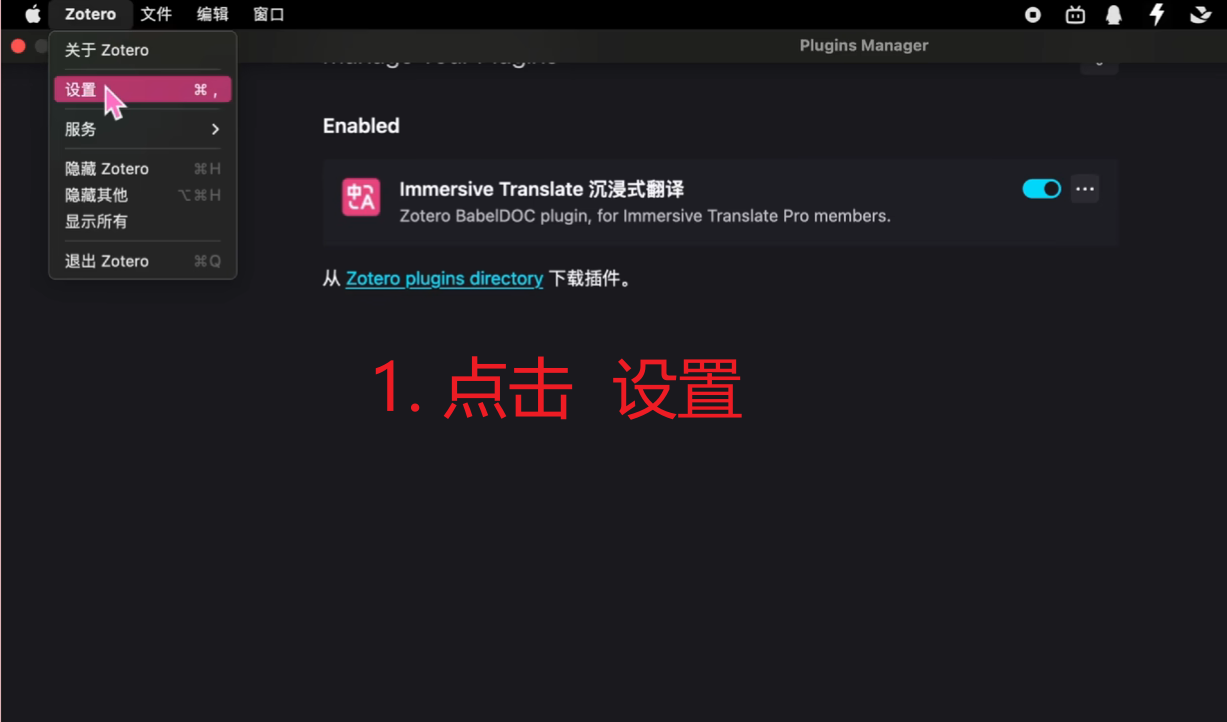
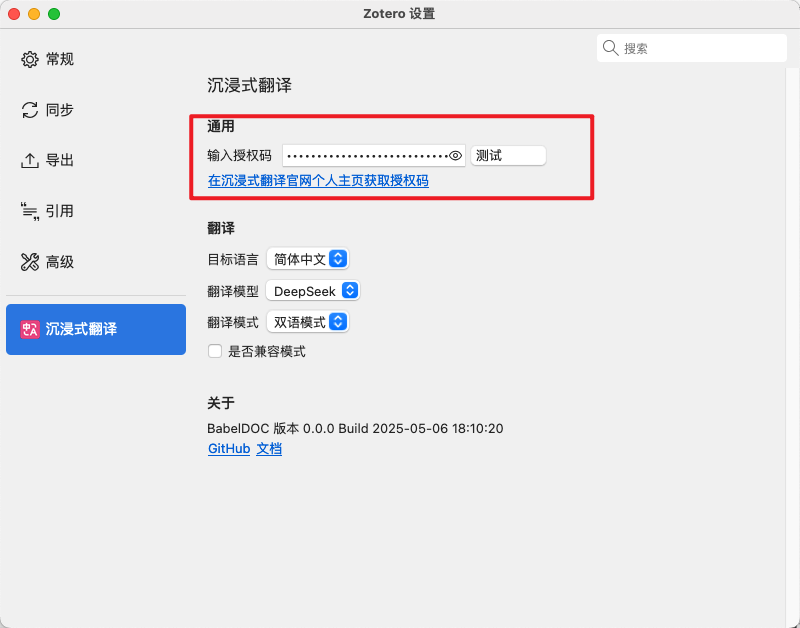
Configure Authorization
Paste the copied auth code into the plugin settings page and verify the connection. Configure once, use forever.
Right-Click to Translate
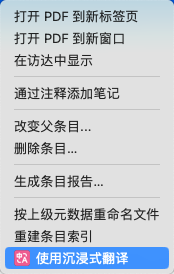
Right-click any PDF in your Zotero library and select "Translate with Immersive Translate" to start. You can also use the shortcut Shift+A to quickly translate selected papers.
Manage Tasks
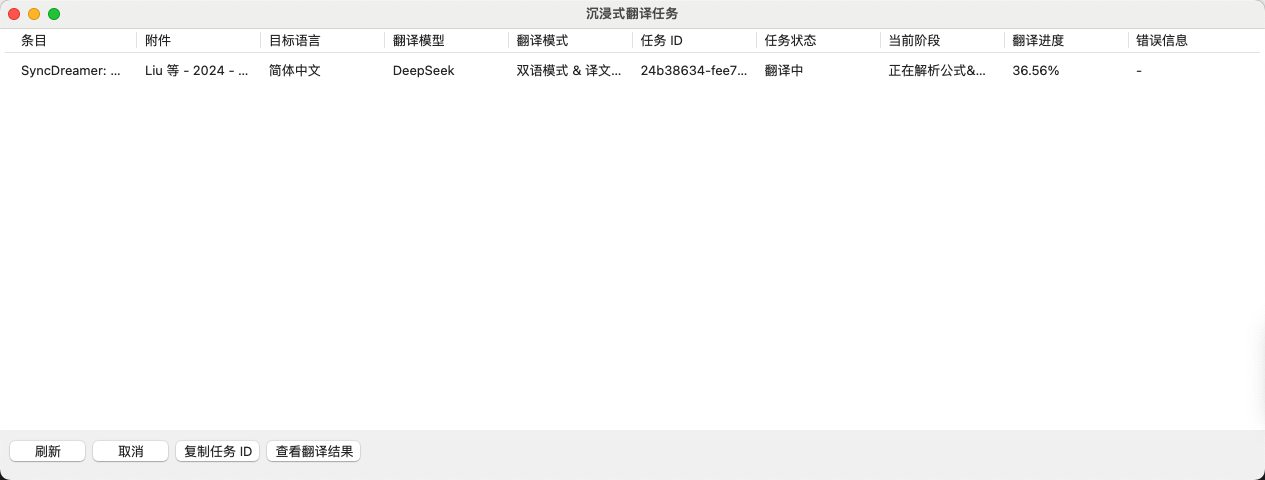
Translation tasks run automatically in the background. The task manager shows real-time progress. Open the bilingual PDF with one click when done.
For All Academic Scenarios
Whether it's daily paper reading or in-depth literature reviews, we provide professional translation support.
Academic Paper Reading
Easily handle complex layouts from top journals like Nature, Science, and IEEE. Multi-column layouts, references, footnotes, and figure captions are all accurately translated.
Long Document Translation
Reliably process PDFs with dozens or even hundreds of pages. Tasks run silently in the background with resume support — no progress lost even if Zotero is closed.
Multiple Model Choices
Supports multiple top-tier translation models including DeepSeek, OpenAI, and more. Flexibly switch based on your field and needs for optimal results.
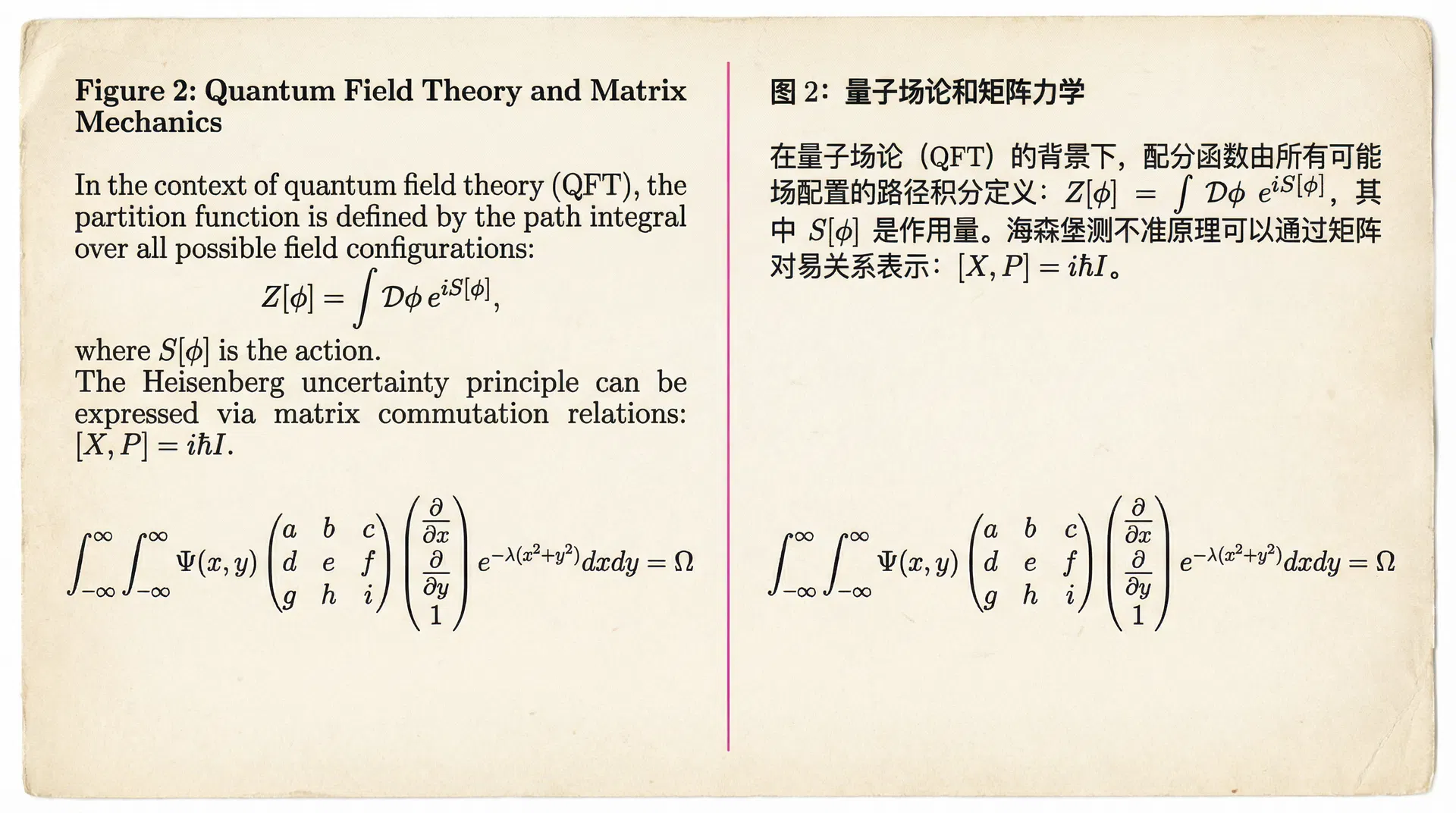
Formulas & layout perfectly preserved
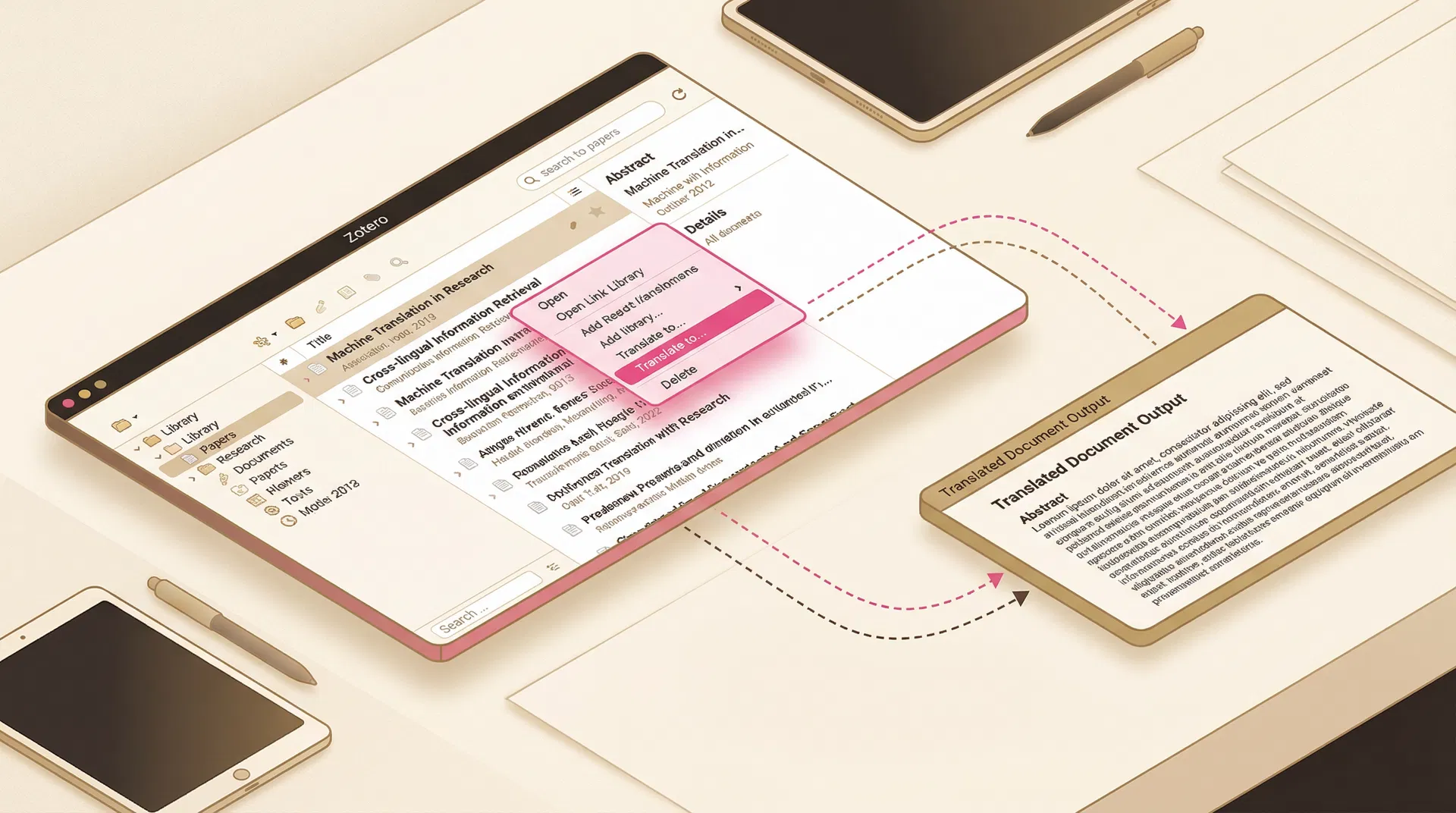
Deep Zotero integration
Explore More Capabilities
Beyond Zotero paper translation, Immersive Translate offers comprehensive cross-language solutions.
Web Translation
Immersive bilingual translation for any foreign-language webpage, supporting Chrome, Firefox, Edge and more.
Video Subtitles
Real-time bilingual subtitles for YouTube, Netflix and other platforms. Understand foreign videos effortlessly.
Document Translation
Multi-format document translation for PDF, EPUB, TXT and more. Preserves original layout with bilingual reading.
Image Translation
OCR-powered image text recognition and translation. Supports comics, screenshots, scanned documents and more.
Input Box Translation
Translate directly in any webpage input box. Available anytime when writing emails, messages, or comments.
Meeting Translation
Real-time subtitle translation for Zoom, Google Meet, Teams and other online meetings. Cross-language communication made easy.
Frequently Asked Questions
Find answers to common questions about the plugin.
Ready to boost your reading efficiency?
Download the Immersive Translate Zotero plugin now and make every foreign-language paper easy to read.