AO3 One-Click Bilingual Comparison, an awesome reading tool: Immersive Translation
Free and easy to use, with zero barriers and zero delay. No downloads required — install online and start using it instantly. Enjoy fan-made content freely and translate tens of thousands of texts on your own. One-click translation and bilingual comparison preserve the authentic flavor of the original text. Freely choose from Google, OpenAI (ChatGPT), DeepL, Gemini, and other AI translation engines. Translate anytime, anywhere. Supports web and mobile platforms and over 100 languages. Install now and start translating.
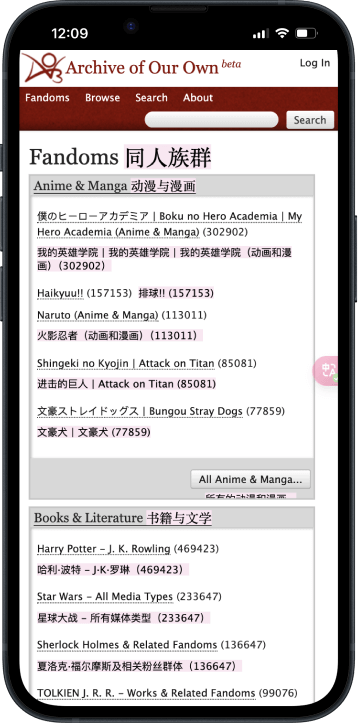
AO3 AI Translation Expert
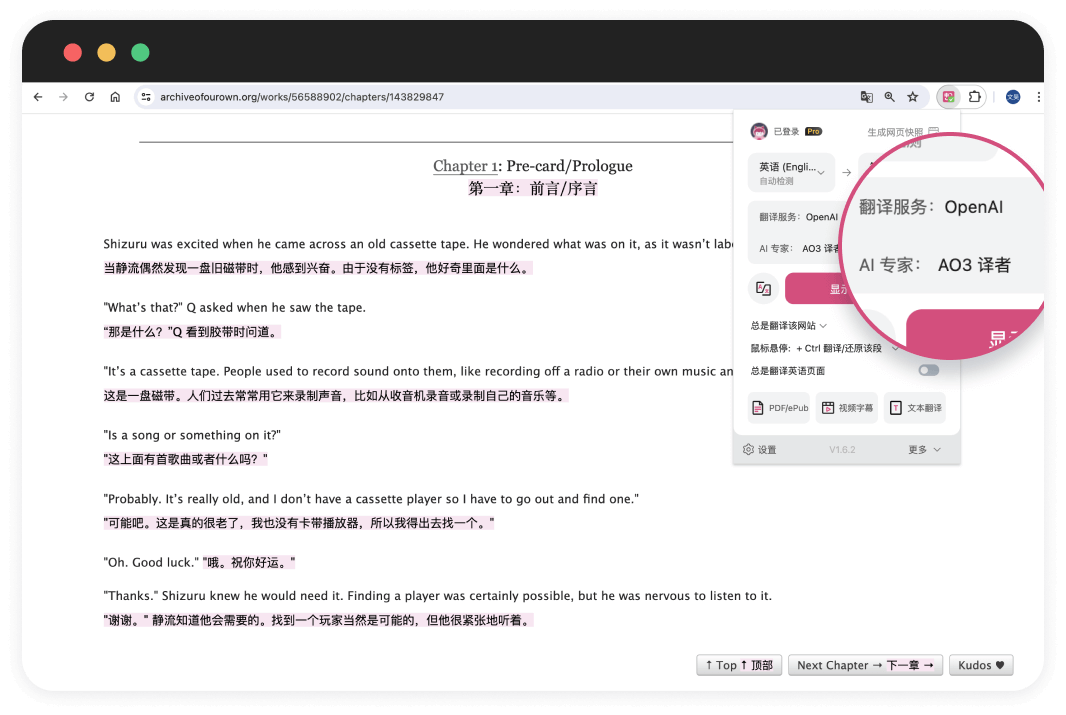
To meet the unique needs of the AO3 community, we developed the AO3 AI Translation Expert. It works with AI translation services supported by Immersive Translate, such as OpenAI, Claude, and Gemini. Our goal is to provide AO3 readers with a more accurate and smoother reading experience.
Translate Website
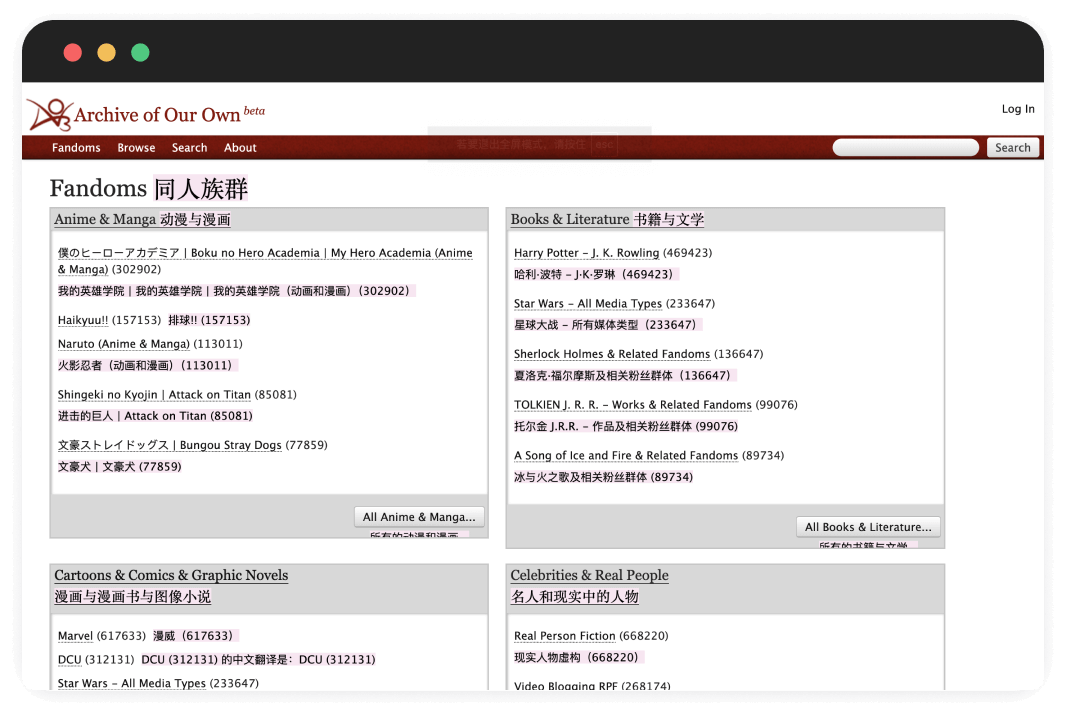
The Immersive Translate extension intelligently identifies the main content areas of web pages and presents them in a bilingual format, minimizing disruption to the original layout. This feature has made bilingual reading of foreign-language web pages easier and more accessible for millions of users. As an industry leader, Immersive Translate integrates more than ten top translation engines, including DeepL, OpenAI (ChatGPT), and Google Translate. It supports one of the widest ranges of translation engines among similar web translation extensions worldwide.
AO3 AI Translation Expert
To meet the unique needs of the AO3 community, we developed the AO3 AI Translation Expert. It works with AI translation services supported by Immersive Translate, such as OpenAI, Claude, and Gemini. Our goal is to provide AO3 readers with a more accurate and smoother reading experience.
Bilingual Video Subtitle Translation
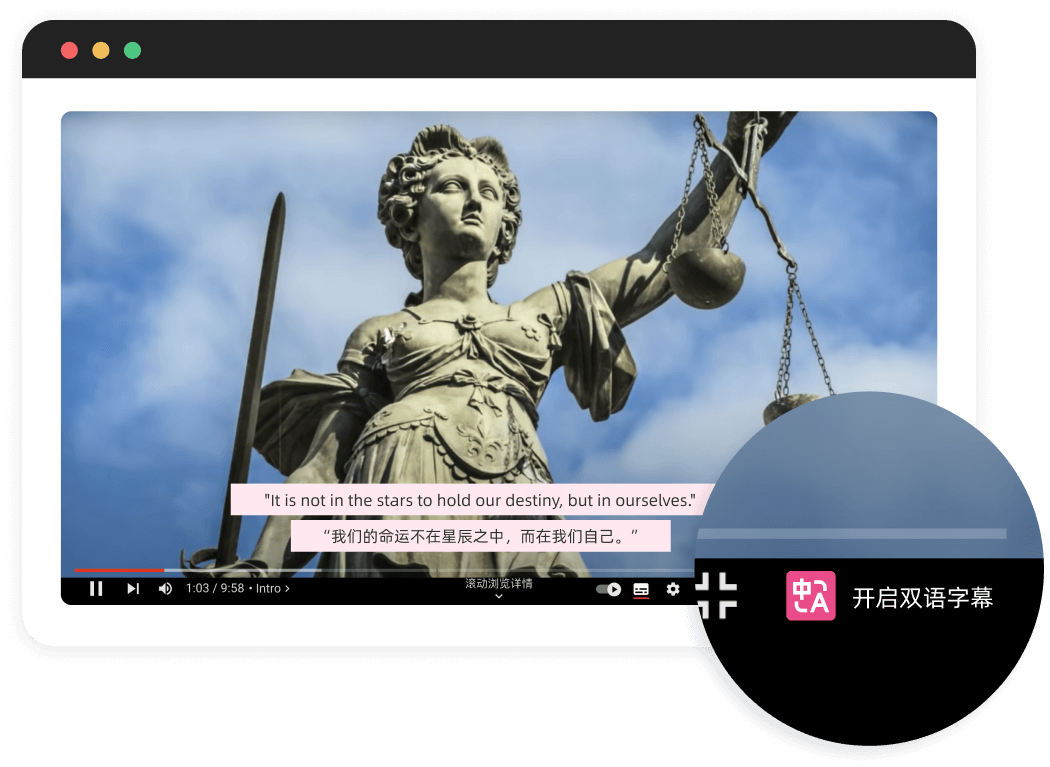
The Immersive Translate extension supports real-time bilingual subtitles on over 60 major video platforms, including YouTube, Netflix, and Udemy. With original audio and bilingual subtitles displayed together, you can fully understand the content while naturally improving your language skills as you watch. This immersive experience helps improve your listening, speaking, reading, and writing skills.
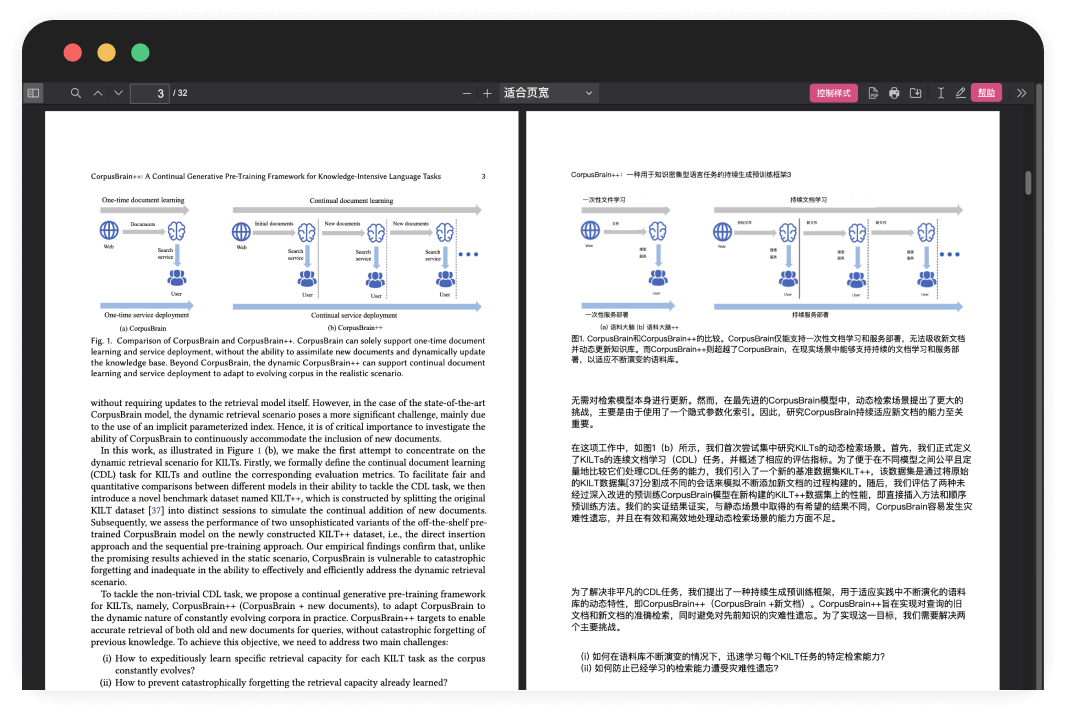
Translate PDF
The Immersive Translate extension introduces a free PDF translation feature within the browser, allowing users to translate PDF documents while preserving their original layout. You can download either a translated-only version or a bilingual version of the PDF, with the original and translated text displayed side by side. Powered by advanced AI translation engines, Immersive Translate delivers professional-quality results in one click—whether you're translating academic papers or multilingual business contracts.
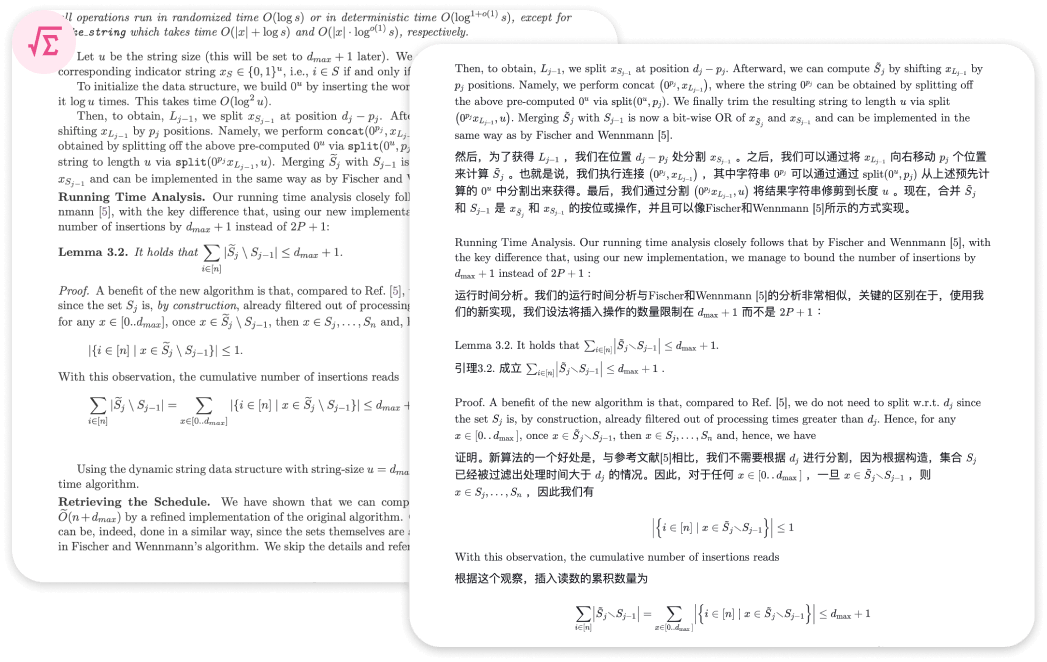
PDF PRO
Immersive Translate offers a Pro version of its PDF translation feature, powered by advanced AI and designed to handle even the most complex PDF files. Academic papers with formulas, as well as documents containing detailed tables and images, often pose challenges for traditional PDF translation tools—resulting in garbled text or broken layouts.
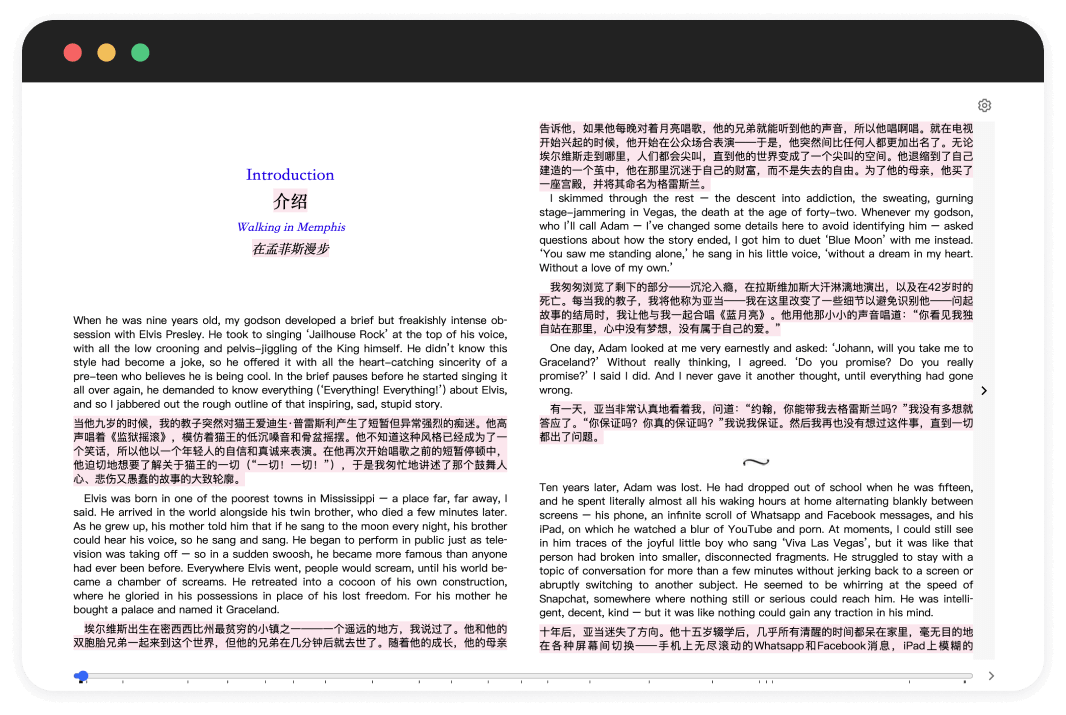
Translate EPUB
Immersive Translate makes it simple to create bilingual EPUB eBooks. With one-click EPUB translation, you can quickly convert foreign-language files into cleanly formatted bilingual or single-language versions that are fully compatible with major eBook readers. Export an EPUB file from platforms like AO3, translate it using Immersive Translate, and import it directly into your Kindle or other reading devices for a seamless bilingual reading experience.
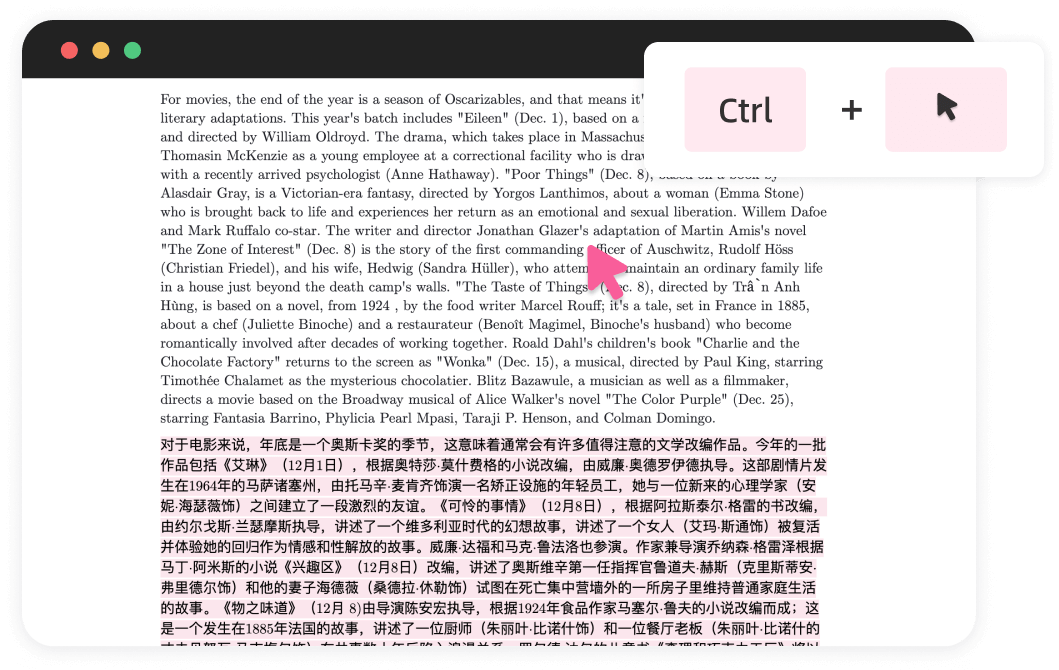
Mouse Hover Translation
Hover your mouse over any paragraph on a webpage and press a keyboard shortcut (such as Ctrl) to instantly display the translation beneath it. Immersive Translate treats each paragraph as the smallest translation unit, preserving context and making foreign-language content easier to understand and learn from.
Input Box Translation
Type text into any input field on a webpage (e.g., “Hello World”) and press the space bar three times to translate it into your target language (default is English, customizable). This feature works across common web scenarios, including search, writing, and chat. Translate instantly without leaving your current page.

Immersive Translate, one-click to enable bilingual reading





I recently explored creating bilingual e-books in Chinese and English using "Immersive Translate" and found this app to be incredibly powerful. It spans all systems and platforms, allowing you to use it on any device—PC, mobile—with virtually no difference in experience across platforms.

Must have extension! Just found out this. No doubt it will be my must have extension. Way better than other simular choices.

Bilingual translation with customizable styles is amazing—this is exactly what I wanted.

Easily the best translator. It can translate the web apps even though google translate doesn't recognise.

This is my first time reviewing a Chrome extension, and the overall experience has been exceptionally seamless. The name "Immersive Translate" couldn't be more apt—kudos to the developer!