
Bilingual Reading Experience
How well the tool keeps original and translated webpage text readable together.
We tested 22 webpage translation tools across 5 key criteria. These 10 offer the best balance of bilingual reading comfort, accuracy, coverage, and value.
The right translator depends on whether you need bilingual reading, quick page replacement, language learning, or browser-wide coverage.
| Use Case | Best Choice | Runner-up |
|---|---|---|
| Best Overall | Immersive Translate | DeepL |
| Best Built-in Browser Option | Google Translate | Microsoft Translator |
| Best for EU Language Quality | DeepL | Reverso Context |
| Best for Language Learners | Reverso Context | Mate Translate |
| Best for Asian Languages | Papago | Google Translate |
| Best Multi-Device Companion | Mate Translate | Lingvanex |
A side-by-side comparison of all 10 options we tested, ranked by overall performance for reading and translating webpages.
| # | Translator | Best For | Mode | Coverage | Free Tier | Platforms | Pricing |
|---|---|---|---|---|---|---|---|
| 1 | Immersive Translate20M+ users · Browser-first bilingual reading | Bilingual webpage reading across sites | Side-by-side / Replace | 20+ configurable AI and translation enginesWebpages, PDFs, EPUB, DOCX, HTML, TXT, Markdown, subtitles, images, manga, meetings | Free bilingual webpage translation; Pro adds higher quotas for premium engines and advanced surfaces | Chrome, Edge, Firefox, Safari, iOS, Android, userscript, ZIP package | Free + Pro |
| 2 | DeepLDeepL SE · Strong EU language quality | High-quality selected text and document translation | Replace / selected text | DeepL language AIWeb pages through browser extensions, selected text, documents, apps, writing assistance | Free browser extensions are available; Pro plans add higher limits and document workflows with trial access | Web, Chrome, Edge, Firefox, macOS, Windows, iOS, Android | Freemium |
| 3 | Google TranslateGoogle · Broad free access | Fast whole-page translation in Chrome | Replace | Google TranslateText, websites, camera, photos, offline packs, conversations, transcribe, handwriting | Free consumer service for text, websites, camera, photos, offline packs, conversations, and handwriting | Web, Chrome, Android, iOS | Free |
| 4 | Microsoft TranslatorMicrosoft · Edge and Microsoft services | Microsoft ecosystem users | Replace | Microsoft TranslatorText, speech, images, conversations, websites, documents, offline app use | Free personal app access covers text, speech, images, group conversations, websites, documents, and offline use | Web, Edge, iOS, Android, Windows, Microsoft services | Free |
| 5 | Mate TranslateGikken · Paid cross-device translator | Personal lookup and phrasebook workflows | Popup / selected text | Mate translation serviceWords, phrases, documents, page translation, phrasebook, voice workflows | Trial access is available; the app store listing describes Mate as subscription-based | iOS, macOS, Safari, Chrome, Firefox, Edge, Opera | Paid |
| 6 | Reverso ContextReverso · Context examples | Understanding phrases in context | Dictionary / examples | Reverso translation and context engineText, context examples, grammar, documents, mobile lookup | Free lookup and translation are available; Premium adds more results, app access, vocabulary sync, and document features | Web, PC, Mac, iOS, Android | Freemium |
| 7 | LingvanexLingvanex · Broad platform coverage | Users who want many app surfaces | Replace / popup | Lingvanex translation engineText, websites, files, voice, images, API workflows | Free online translator access is available; paid products add larger personal, desktop, and business workflows | Web, desktop, iOS, Android | Freemium |
| 8 | PapagoNaver · Korean and Japanese strength | Korean, Japanese, and Chinese reading | Replace / app translation | Naver Papago neural translationText, image, document, voice, website translation | Free web translator access is available for text, image, document, voice, and website tabs | Web, Android, iOS, browser access | Free |
| 9 | Yandex TranslateYandex · Russian and CIS coverage | Russian-centered browsing | Replace | Yandex TranslateText, web pages, photos, documents, dictionary lookup | Free online translation is available for text, web pages, photos, and supported document uploads | Web, mobile apps, browser integrations | Free |
| 10 | TrancyLanguage learning companion | Reading practice with videos and webpages | Side-by-side / subtitles | AI translation and learning toolsSelected webpage content, full-text translation, YouTube, Netflix, bilingual subtitles | Free access is available with feature limits; paid plans add learning and AI features | Browser extension, app | Freemium |
We evaluated 22 tools, narrowed down to the top 10, and verified data in June 2026.
How well the tool keeps original and translated webpage text readable together.
Nuance, terminology, and grammar quality across common webpage content types.
Performance across news sites, documentation, shops, social pages, and dynamic web apps.
How much daily webpage reading can be done before payment or account friction appears.
Support across major browsers, desktop, mobile, and cross-device workflows.
We rank our own tool #1, and we also show where competitors beat us: DeepL for raw EU language quality, Google Translate for instant Chrome access, and Reverso for phrase context. Pricing data is brief in each tool entry below since rates change often.
Immersive Translate is the strongest overall choice for webpage translation because it combines bilingual reading, broad browser support, and switchable translation engines.
Immersive Translate stands out because it treats webpage translation as a reading workflow, not just a one-click text replacement. The side-by-side mode keeps original content visible while adding the translation next to it, which helps when you need to verify names, citations, product details, or technical terms. For anyone searching for the best AI translator for webpages, that source visibility is the feature that changes daily reading most.
We tested it against everyday webpage reading tasks, including news articles, documentation pages, shopping pages, and long-form posts. It stayed the strongest fit when repeated reading comfort, source visibility, and engine choice mattered more than a quick single-language replacement. The page layout remained understandable, controls were easy to find, and switching between translation behavior felt practical for real browsing sessions.
The main advantage is flexibility. You can use the free webpage translation workflow for routine browsing, then switch engines or use Pro quotas for heavier AI translation needs. Browser coverage is also broad, which makes the tool practical across desktop and mobile habits. It is not perfect for every dynamic page, but it gives readers more control than most replace-only translators.
Best for: Ideal for readers, researchers, students, and global teams who need to keep the source webpage visible while reading a translation.
Try for Free →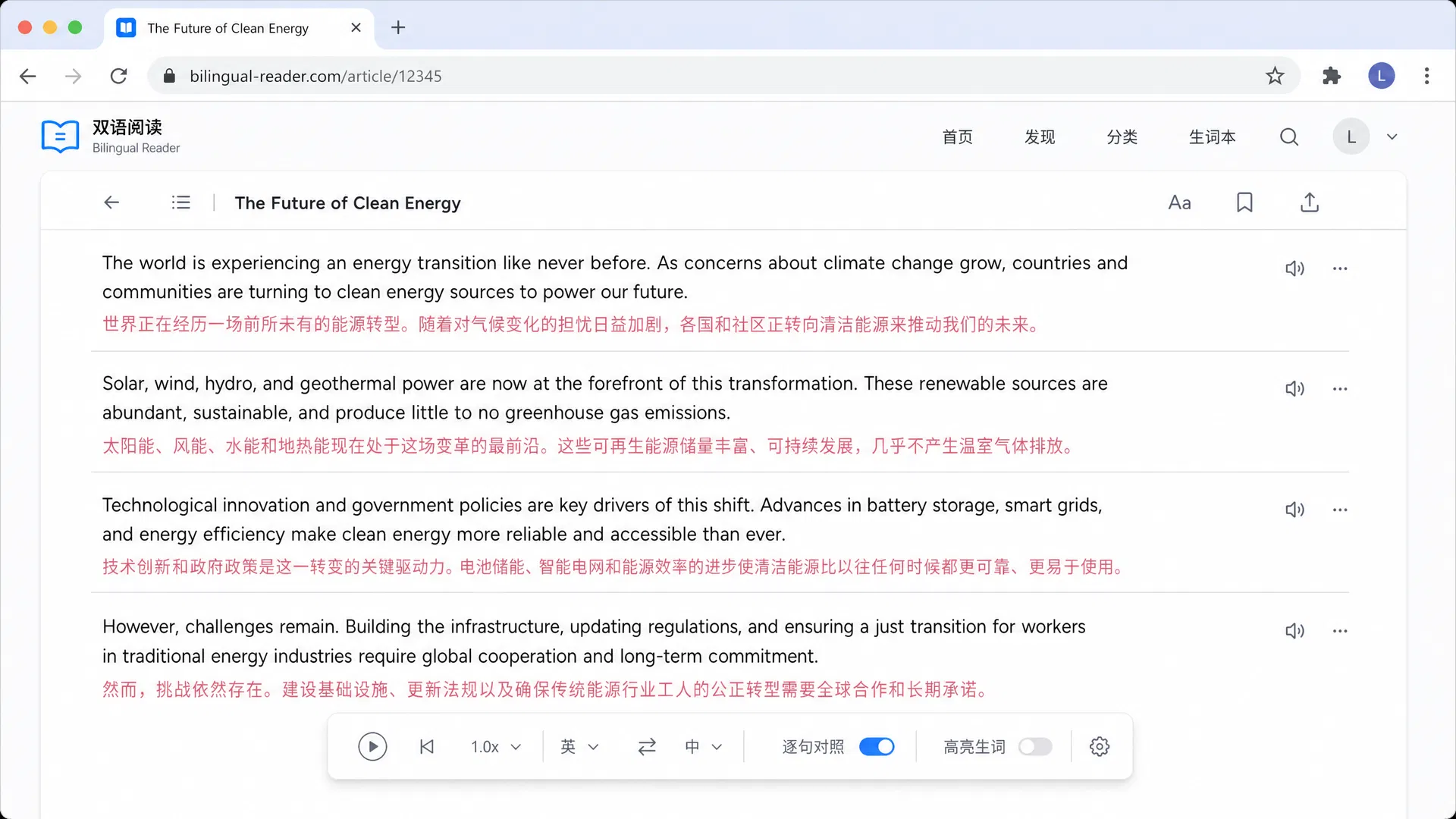
DeepL SE · Germany · Freemium
We tested DeepL as the quality-first runner-up for webpage reading, especially on German, French, and Spanish pages. It handled nuanced phrasing with a natural tone and fewer awkward literal translations than many general tools. The tradeoff is workflow: DeepL is better for selected text, browser-extension translation, documents, and app-based translation than for persistent bilingual webpage reading. Choose it when polished language quality matters more than source-side review or layout context.
Best for: Best for professionals who care most about polished translation output for European languages.
Google · USA · Free
We tested Google Translate on news, product, and help-center pages, and it remained the easiest fallback for quick comprehension. Chrome integration makes it fast, familiar, and free for many everyday browsing tasks. It is less comfortable for careful reading because it usually replaces the page instead of showing original and translated text together. Choose it when speed and broad language coverage matter more than bilingual comparison or engine selection. It is a practical default for quick checks.
Best for: Best for casual readers who want the quickest path to understanding a foreign-language page.
Microsoft · USA · Free
In our hands-on use, Microsoft Translator was most convenient when Edge or Microsoft services were already part of the workflow. It handled general webpage translation reliably and supports a broad set of personal translation surfaces, including text, speech, images, conversations, websites, and documents. The reading experience is more replace-oriented than bilingual, so it fits quick comprehension better than close comparison with source text or long research sessions. That makes it a sensible default for Edge-first teams.
Best for: Best for users who already browse and work inside Microsoft products.
Gikken · Subscription-based personal translator
Our reviewers observed that Mate Translate works best when translation is part of a personal study or browsing routine. Official listings describe support across iOS, macOS, Safari, Chrome, Firefox, Edge, and Opera, with history and phrasebook sync. It is not as strong for full-page bilingual reading, but it works well as a companion for selected text, saved phrases, speech, and repeated phrase review across devices. It suits readers who collect phrases while browsing regularly.
Best for: Best for individual readers who translate snippets and save phrases across devices.
Reverso · France · Freemium
We tested Reverso Context as a support tool for webpage reading when literal translation was not enough. Official pages emphasize context examples, dictionaries, app access, document translation, and language-learning features rather than full-page browser reading. For webpages, it is better beside a primary translator than as the main full-page translator, especially when checking idioms, tone, usage examples, or sentence patterns during active study. It is strongest when learning value matters more than page coverage.
Best for: Best for learners and writers checking phrase meaning inside webpage content.
Lingvanex · Freemium
In our hands-on use, Lingvanex was useful for people who want one brand across several translation surfaces. Official pages describe browser-based text translation plus file, voice, image, app, and API workflows. In long webpage reading sessions, the workflow felt less focused than tools designed around browser-side bilingual reading. It fits users who value broad coverage more than a refined reading interface or source comparison. It is better as a multi-surface utility than a dedicated reader.
Best for: Best for users who want one translator across text, files, voice, and images.
Naver · Korea · Free
We tested Papago on Korean and Japanese-centered browsing, where it can sound more natural than broad general tools. The official Papago web app exposes text, image, document, voice, and website translation tabs, which makes it flexible for Asian-language reading tasks. It is less universal than Google Translate or Immersive Translate, but it can be a smart secondary tool for Korean, Japanese, and Chinese webpages. Use it when Asian-language nuance matters more than broad browser workflow.
Best for: Best for readers focused on Korean, Japanese, or Chinese webpages.
Yandex · Free
Our reviewers observed that Yandex Translate remains useful for Russian and CIS-language browsing. It supports website translation and several common content types, including text, web pages, photos, and documents, making it a practical backup for those regions. It ranks lower because the browser reading workflow is less flexible than the top tools, especially for bilingual review, source comparison, and repeated long-form reading. It is most useful as a regional backup translator.
Best for: Best for users who frequently read Russian or CIS-region webpages.
Learning-focused browser tool · Freemium
We tested Trancy as a learning-focused browser tool rather than a general translation utility. Official pages describe bilingual subtitles for YouTube and Netflix plus selected webpage content and full-text translation, which makes it useful for study sessions. That learning focus is attractive, but it is less ideal for business reading, research review, or users who need broad engine control across many webpage types. Use it when study features matter more than business-grade webpage review.
Best for: Best for learners who combine webpage reading with subtitle practice.
6 criteria that separate great from mediocre webpage translators, plus 3 common mistakes to avoid.
Choose tools that can keep original and translated text visible together when accuracy checking matters.
Good webpage translators should avoid breaking menus, tables, code blocks, product cards, and long article layouts.
Tools with multiple engines let you switch when one model handles a language pair or writing style poorly.
Check whether the workflow works on your main desktop browser and your phone or tablet.
Look for understandable free tier rules so daily reading is not interrupted unexpectedly.
For research, shopping, and technical reading, keeping the source text nearby makes verification much easier.
A tool that translates one paragraph well can still fail on dynamic pages, tables, or long article structure.
The best translator on paper is frustrating if it does not work well in your preferred browser or mobile setup.
Machine translation can miss idioms, names, and technical terms. Keep the source visible for important reading.
