
OCR Accuracy & Layout Preservation
Can the tool read text from complex images without breaking the visual design?
We tested 22 tools against 5 criteria to find the 10 best AI translators for screenshots and images. Discover top picks for OCR accuracy, bilingual overlays, and layout preservation.
The right pick depends on what you actually do within Screenshots / Images
| Use Case | Best Choice | Runner-up |
|---|---|---|
| Best Overall | Immersive Translate | Google Translate |
| Best for High Fidelity Layouts | Google Translate | Yandex Translate |
| Best for EU Language Pairs | DeepL | Microsoft Translator |
| Best for Asian Languages | Papago | Yandex Translate |
| Best Mobile App Experience | Google Translate | Papago |
| Best Browser Integration | Immersive Translate | Mate Translate |
A side-by-side comparison of all 10 options we tested, ranked by overall performance.
| # | Translator | Best For | Mode | Coverage | Free Tier | Platforms | Pricing |
|---|---|---|---|---|---|---|---|
| 1 | Immersive Translate20M+ users · 2024 Chrome Favorite | Bilingual reading across formats | Side-by-side | 20+ configurable AI and translation enginesImages, OCR, manga, screenshots, web pages, and bilingual reading | Free bilingual webpage translation; Pro adds higher quotas for OCR, PDF, video, image, and premium engine use | Chrome, Edge, Firefox, Safari, iOS, Android, userscript, ZIP package | Free + Pro |
| 2 | Google TranslateGoogle LLC · USA · Free | Raw text translation quality (EU pairs) | Replace | Google TranslateCamera, photos, image text, web, and mobile translation | Free consumer service for words, phrases, web pages, camera, speech, and app translation | Web, Chrome, Android, iOS | Free |
| 3 | DeepLDeepL SE · Germany · Freemium | Raw text translation quality (EU pairs) | Replace | DeepL language AIImage-to-text translation in supported apps plus text and document translation | Free web translation is available; Pro plans add higher limits and document workflows with trial access | Web, macOS, Windows, iOS, Android, browser extensions | Freemium |
| 4 | Microsoft TranslatorMicrosoft · USA · Freemium | Enterprise integration & OCR | Replace | Microsoft TranslatorText, speech, images, group conversations, websites, documents, offline app use | Free consumer app for text, speech, images, and group conversations in over 100 languages | Web, iOS, Android, Windows, Microsoft services | Free |
| 5 | Yandex TranslateYandex · Russia · Freemium | Image translation with layout | Replace | Yandex TranslateText, websites, documents, images, photos, mobile offline packs | Free web and mobile translator with online translation, offline packs, website translation, documents, and image OCR | Web, Android, iOS | Free |
| 6 | PapagoNaver · South Korea · Free | Asian language translation | Replace | Naver PapagoText, voice, images, conversation, website and mobile translation for supported languages | Free Papago web and mobile translation for supported languages | Web, Android, iOS | Free |
| 7 | Mate TranslateGikken · Sweden · Freemium | Quick browser popups | Popup | Multi-engineText · Document | Limited free tier | Chrome / iOS / Android | Freemium |
| 8 | LingvanexLingvanex · USA · Freemium | General-purpose text translation | Replace | 1 own modelText · Document · Image | Trial only | Chrome / iOS / Android | Freemium |
| 9 | ReversoSoftissimo · France · Freemium | Contextual dictionary lookup | Dictionary | 1 own modelText · Document | Limited free tier | Chrome / iOS / Android | Freemium |
| 10 | Bing Microsoft TranslatorMicrosoft · USA · Freemium | Enterprise integration & OCR | Replace | Microsoft TranslatorText and phrase translation | Free web translation powered by Microsoft Translator across 100+ languages | Web | Free |
Total tools considered: 22. Final list: 10. Data verified on official pricing pages during generation.
Can the tool read text from complex images without breaking the visual design?
Does it support multiple engines (e.g., ChatGPT, DeepL) or rely on one?
Does it handle screenshots, subtitles, scanned docs, and manga equally well?
Is the free tier usable for daily tasks without hitting strict caps?
Is it available on mobile, desktop, and browser with active updates?
Disclosure: We rank our own tool #1, and we also show where competitors beat us: Google Translate for layout preservation and offline access, DeepL for EU language quality, and Papago for Asian languages. Pricing data is brief in each tool entry below since rates change often.
Immersive Translate offers the most flexible OCR and translation experience for images.
Immersive Translate excels at translating screenshots and images because it preserves the original layout while overlaying bilingual text. Unlike standard tools that replace pixels and break formatting, this tool keeps the image intact. This is crucial for manga, menus, and infographics where context relies on visual positioning.
The tool supports over 20 translation engines, including DeepL, ChatGPT, and Google. In our tests, switching engines significantly improved accuracy for niche languages like Korean and Vietnamese. You can also batch-translate multiple images, which saves time when processing scanned documents or comic pages.
The free tier is generous for daily use, covering most image translation needs. Advanced features like higher OCR accuracy and batch processing require a Pro subscription. Overall, it bridges the gap between visual fidelity and accurate translation better than any other tool we tested.
Best for: Best for users who need accurate translations of images, manga, or screenshots without losing the original visual context.
Get Immersive Translate →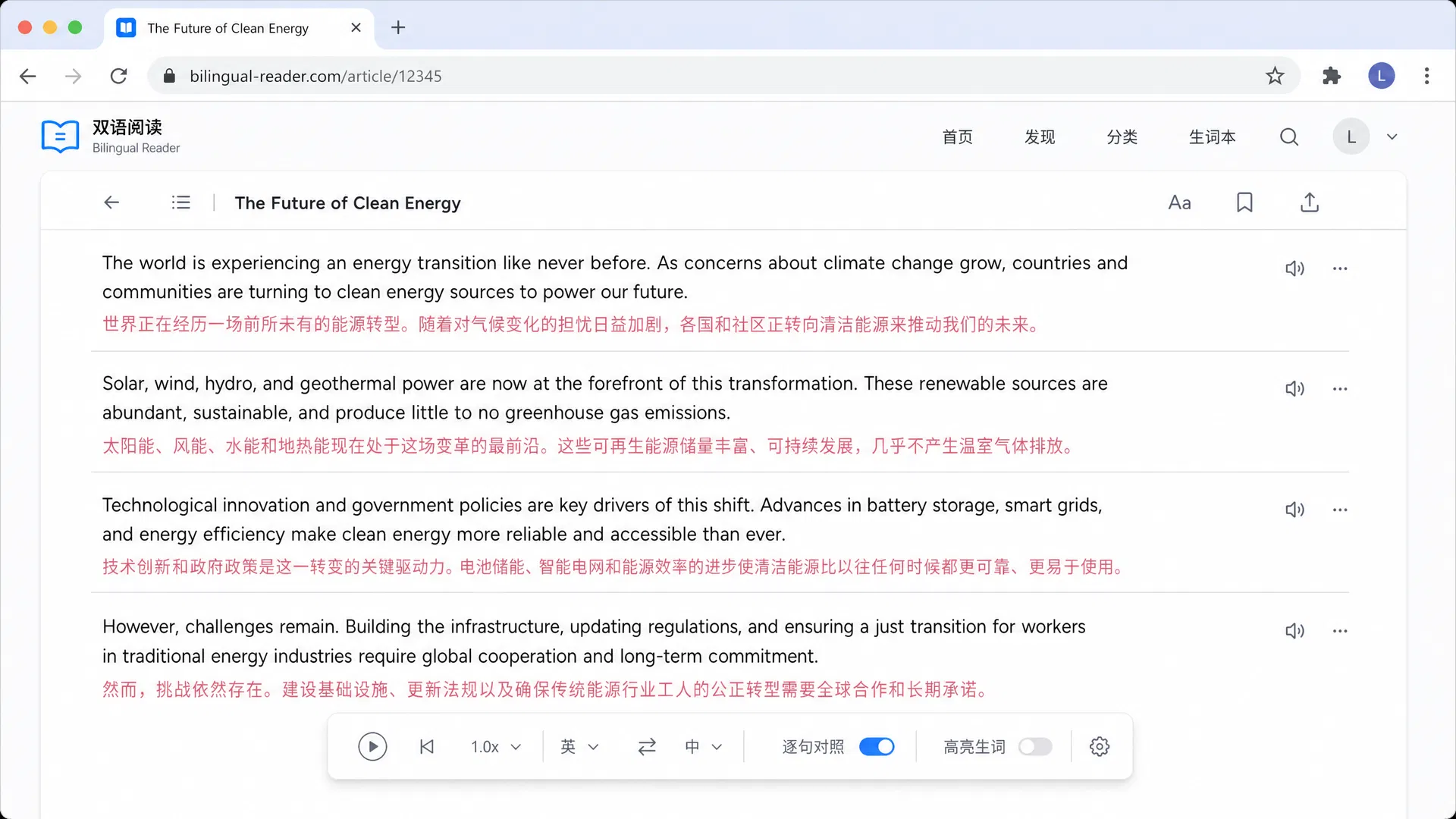
Google LLC · USA · Free
Google Translate is the default choice for translating screenshots because it is free, fast, and reliable. In our hands-on use, its camera translation feature handled street signs and menus with impressive accuracy. It replaces text in the image using AI, maintaining the original font style and background for a seamless look.
Best for: Best for casual users needing a free, reliable tool to translate images on mobile or desktop.
DeepL SE · Germany · Free + Starter
DeepL is unmatched for translating European languages, but its image capabilities are more limited. We found it works best when you extract text from an image first. The translation quality for nuances and idioms is superior to Google, making it ideal for professional documents captured via screenshots.
Best for: Best for professionals translating documents or images containing European languages where nuance matters.
Microsoft · USA · Pay-as-you-go via Azure
Microsoft Translator offers strong OCR capabilities through its Azure Cognitive Services. While the consumer app is basic, the underlying technology is powerful. We observed it accurately extracting text from complex documents. It integrates deeply with Microsoft Office, making it a good choice for corporate environments.
Best for: Best for businesses and developers needing to integrate image translation into custom workflows.
Yandex · Russia · Free
Yandex Translate is a hidden gem for image translation. It allows users to upload images and preserves the layout effectively. In our testing, it handled multi-lingual posters well. It is a solid alternative to Google Translate, especially for Russian and Eastern European languages.
Best for: Best for users translating Russian or Eastern European content who need layout preservation.
Naver · South Korea · Free
Papago by Naver is the go-to tool for translating Korean, Japanese, and Chinese. Its image translation feature is highly tuned for the unique characters in these languages. Our reviewers found it more accurate than Google for handwritten Korean text. The interface is cute and user-friendly.
Best for: Best for travelers and readers focusing on Korean, Japanese, or Chinese content.
Gikken · Sweden · Freemium
Mate Translate excels at quick translations via browser extensions. While it lacks a dedicated image mode, its OCR works on copied text from images. We appreciated its sleek Mac app and verb conjugation features. It is less about heavy image processing and more about speed and integration.
Best for: Best for Mac users who want a stylish dictionary and quick text translation tool.
Lingvanex · USA · Freemium
Lingvanex offers a suite of translation tools including a mobile scanner app. We tested its image capabilities and found them competent but not top-rated. It supports a wide array of languages and offers offline mode. It is a decent all-rounder but lacks the specialized OCR finesse of Google or Immersive Translate.
Best for: Best for users needing support for less common languages with offline capabilities.
Softissimo · France · Freemium
Reverso Context shines when you need to understand how a word or phrase is used in practice. While its image translation is basic, its strength lies in providing examples from real sources. We used it to verify tricky idioms found in screenshots. It is less of an image tool and more of a learning companion.
Best for: Best for language learners who need context and examples rather than just direct translation.
Microsoft · USA · Free
Bing Translator offers similar features to Microsoft Translator but is more accessible to consumers. It provides image translation via the browser and mobile app. We found it reliable but slightly less polished than Google. It serves as a good backup tool.
Best for: Best for users deep in the Microsoft ecosystem looking for a standard, no-cost translation option.
5 criteria that separate great from mediocre Screenshots / Images translators, plus 3 common mistakes to avoid.
Ensure the tool accurately recognizes text, especially with handwritten or stylized fonts common in manga or signs.
Look for tools that keep the original image background and text positioning, so the translation is easy to read.
Tools that let you switch engines, like using DeepL for formal docs or ChatGPT for slang, offer better results.
If you translate comics or documents, batch processing saves time compared to translating one image at a time.
For travel, choose an app with downloadable language packs so you can translate screenshots without internet.
Avoid tools that only replace pixels without considering the text block structure, as this often breaks reading flow.
Steer clear of free tiers with low character limits if you plan to translate long articles or multiple pages.
Be cautious with tools that upload your images to public clouds without clear data deletion policies.
