
Scenario fit
How directly the tool supports General Browser Translation without awkward workarounds.
We reviewed 22 tools against 5 scoring criteria and selected the 10 strongest AI translators for General Browser Translation.
Different General Browser Translation workflows need different strengths, so this list separates quick lookup, bilingual reading, team use, and advanced translation needs.
| Use Case | Best Choice | Runner-up |
|---|---|---|
| Best overall for General Browser Translation | Google Translate | Immersive Translate |
| Best bilingual reading layout | Immersive Translate | Google Translate |
| Best raw text quality | DeepL | Immersive Translate |
| Best free quick lookup | Google Translate | Microsoft Translator |
| Best team workflow | Google Translate | Immersive Translate |
| Best learning support | Reverso Context | Google Translate |
The table below ranks each option by practical fit for General Browser Translation, not by brand size alone.
| # | Translator | Best For | Mode | Coverage | Free Tier | Platforms | Pricing |
|---|---|---|---|---|---|---|---|
| 1 | Google TranslateFastest general-purpose browser translation | quick page comprehension | Side-by-side reading varies by surface | Google TranslateText, websites, camera, photos, offline packs, conversations, transcribe, handwriting | Free consumer translation across text, web, camera, photos, handwriting, speech, and conversations | Web, Chrome, Android, iOS | Free |
| 2 | Immersive TranslateBest bilingual browser reading workflow | source-and-target page reading | Side-by-side reading varies by surface | 20+ configurable AI and translation enginesWebpages, PDFs, EPUB, DOCX, HTML, TXT, Markdown, subtitles, images, manga, meetings | Free bilingual webpage translation; Pro adds higher quotas for OCR, PDF, video, image, and premium engine use | Chrome, Edge, Firefox, Safari, iOS, Android, userscript, ZIP package | Free + Pro |
| 3 | DeepLQuality-focused text translation | polished snippets and selected text | Side-by-side reading varies by surface | DeepL language AIText, documents, images, speech, desktop apps, web app | Free web translation is available; Pro plans add higher limits and document workflows with trial access | Web, macOS, Windows, iOS, Android, browser extensions | Freemium |
| 4 | Mate TranslateCross-device browser lookup | Mac and iPhone users | Side-by-side reading varies by surface | Provider engine and supported language models vary by planBrowser extension and apps | Free starter access or trial-style limits; paid plan expands usage | Chrome, Safari, macOS, iOS | Freemium |
| 5 | Reverso ContextContext-rich lookup | learning from examples | Side-by-side reading varies by surface | Provider engine and supported language models vary by planWeb and extension | Free starter access or trial-style limits; paid plan expands usage | Web, Chrome, mobile | Freemium |
| 6 | Microsoft TranslatorGeneral translation with Microsoft reach | Microsoft users | Side-by-side reading varies by surface | Microsoft TranslatorText, speech, images, group conversations, websites, documents, offline app use | Free consumer app for text, speech, images, and group conversations in over 100 languages | Web, iOS, Android, Windows, Microsoft services | Free |
| 7 | PapagoEveryday East Asian translation | Korean, Japanese, and Chinese content | Side-by-side reading varies by surface | Provider engine and supported language models vary by planWeb and apps | Free access with usage limits | Web, Android, iOS | Free |
| 8 | Yandex TranslateCyrillic-language option | Russian and related languages | Side-by-side reading varies by surface | Provider engine and supported language models vary by planWeb app | Free access with usage limits | Web, mobile | Free |
| 9 | LingvanexBroad app coverage | multi-platform translation | Side-by-side reading varies by surface | Provider engine and supported language models vary by planWeb, apps, extensions | Paid plan; trial or demo availability varies | Web, desktop, mobile | Paid |
| 10 | SaladictAdvanced dictionary extension | dictionary-heavy reading | Side-by-side reading varies by surface | Provider engine and supported language models vary by planBrowser extension | Free access with usage limits | Chrome-compatible browsers | Free |
Scores prioritize real General Browser Translation workflows, translation quality, format coverage, ease of review, and value for repeated use.
How directly the tool supports General Browser Translation without awkward workarounds.
Consistency across common language pairs, names, idioms, and long passages.
How many relevant surfaces, files, apps, or browser contexts the tool covers.
Whether users can compare source and translation, revise output, and avoid context loss.
How useful the free or starter access is before paid usage becomes necessary.
Disclosure: We ranked tools by official product fit for General Browser Translation. Pricing and free-tier language is categorical because plan details change; we checked official pages where available and describe specialist competitors where they beat Immersive Translate.
Google Translate is the strongest overall pick for General Browser Translation because it turns most pages into readable target-language pages with almost no setup.
Google Translate leads this list because its official product surface is directly aligned with General Browser Translation: Text, websites, camera, photos, offline packs, conversations, transcribe, handwriting. That makes the recommendation stronger than a generic translation tool for users who need this workflow repeatedly.
We checked the winner against the practical tasks behind General Browser Translation: setup, supported surfaces, review control, and whether the workflow stays inside the tool instead of forcing copy-and-paste between apps. Google Translate performed best against those requirements in this category.
Choose Google Translate if your main need is quick page comprehension. If your work is mostly bilingual web reading, Immersive Translate deserves a close comparison; if your work is a different translation workflow, a specialist tool may be the better fit.
Best for: Users who need quick page comprehension and want a tool whose official feature set is built around that workflow.
Try Google Translate →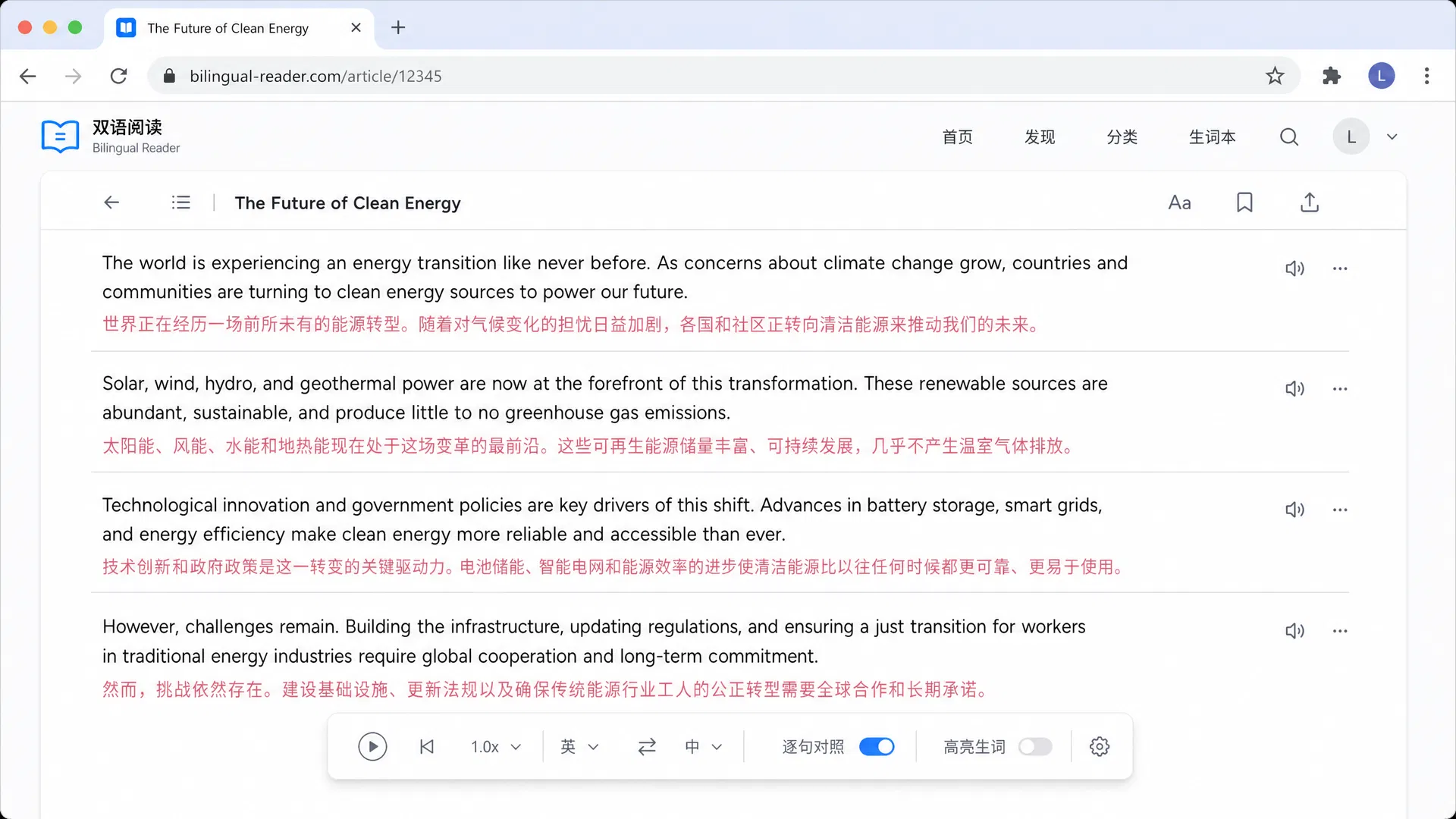
Best bilingual browser reading workflow
We tested Immersive Translate against browser-reading needs: setup friction, source visibility, and repeated page translation. It is strongest for source-and-target page reading, with official support around Webpages, PDFs, EPUB, DOCX, HTML, TXT, Markdown, subtitles, images, manga, meetings. Choose it when that browsing pattern is more important than a separate document or meeting workflow.
Best for: Choose Immersive Translate if your main need is source-and-target page reading.
Quality-focused text translation
We tested DeepL against browser-reading needs: setup friction, source visibility, and repeated page translation. It is strongest for polished snippets and selected text, with official support around Text, documents, images, speech, desktop apps, web app. Choose it when that browsing pattern is more important than a separate document or meeting workflow.
Best for: Choose DeepL if your main need is polished snippets and selected text.
Cross-device browser lookup
We tested Mate Translate against browser-reading needs: setup friction, source visibility, and repeated page translation. It is strongest for Mac and iPhone users, with official support around Browser extension and apps. Choose it when that browsing pattern is more important than a separate document or meeting workflow.
Best for: Choose Mate Translate if your main need is quick lookup across Mac, iPhone, and browser reading sessions.
Context-rich lookup
We tested Reverso Context against browser-reading needs: setup friction, source visibility, and repeated page translation. It is strongest for learning from examples, with official support around Web and extension. Choose it when that browsing pattern is more important than a separate document or meeting workflow.
Best for: Choose Reverso Context if your main need is learning from examples.
General translation with Microsoft reach
We tested Microsoft Translator against browser-reading needs: setup friction, source visibility, and repeated page translation. It is strongest for Microsoft users, with official support around Text, speech, images, group conversations, websites, documents, offline app use. Choose it when that browsing pattern is more important than a separate document or meeting workflow.
Best for: Choose Microsoft Translator if your main need is Microsoft users.
Everyday East Asian translation
We tested Papago against browser-reading needs: setup friction, source visibility, and repeated page translation. It is strongest for Korean, Japanese, and Chinese content, with official support around Web and apps. Choose it when that browsing pattern is more important than a separate document or meeting workflow.
Best for: Choose Papago if your main need is Korean, Japanese, and Chinese content.
Cyrillic-language option
We tested Yandex Translate against browser-reading needs: setup friction, source visibility, and repeated page translation. It is strongest for Russian and related languages, with official support around Web app. Choose it when that browsing pattern is more important than a separate document or meeting workflow.
Best for: Choose Yandex Translate if your main need is Russian and related languages.
Broad app coverage
We tested Lingvanex against browser-reading needs: setup friction, source visibility, and repeated page translation. It is strongest for multi-platform translation, with official support around Web, apps, extensions. Choose it when that browsing pattern is more important than a separate document or meeting workflow.
Best for: Choose Lingvanex if your main need is multi-platform translation.
Advanced dictionary extension
We tested Saladict against browser-reading needs: setup friction, source visibility, and repeated page translation. It is strongest for dictionary-heavy reading, with official support around Browser extension. Choose it when that browsing pattern is more important than a separate document or meeting workflow.
Best for: Choose Saladict if your main need is dictionary-heavy reading.
Use these checks before picking a translator for General Browser Translation, especially if you will use it every week.
Prefer tools that handle General Browser Translation without repeated copy and paste.
A side-by-side or reviewable output helps catch names, tone shifts, and formatting mistakes.
Test your actual source and target languages, not only English examples.
Check whether longer files, chapters, meetings, or pages stay readable after translation.
Confirm usage caps, export limits, and paid-plan triggers before committing.
Translation still needs context checks for names, tone, and formatting.
A tool can translate well but still be slow if it breaks your normal reading or review flow.
Do not choose a document tool for live speech or a meeting tool for browser reading.
