


















如何使用沉浸式翻譯翻譯期刊
1
根據需求選擇翻譯工具
2
上傳文件
3
用你想要的樣式下載譯文
專業期刊翻譯,兼顧文件完整性
沉浸式翻譯為全球研究人員提供精確的期刊翻譯,支援 100 多種語言,同時保留原始格式、引用文獻及學術結構。

保留原始格式
在學術期刊翻譯過程中,保持原始佈局、表格、圖表和腳註完整無缺,確保專業呈現。
多引擎精準翻譯
接入 DeepL 和 ChatGPT 等 18 多種 AI 翻譯引擎,確保科學期刊文章中的術語一致性。

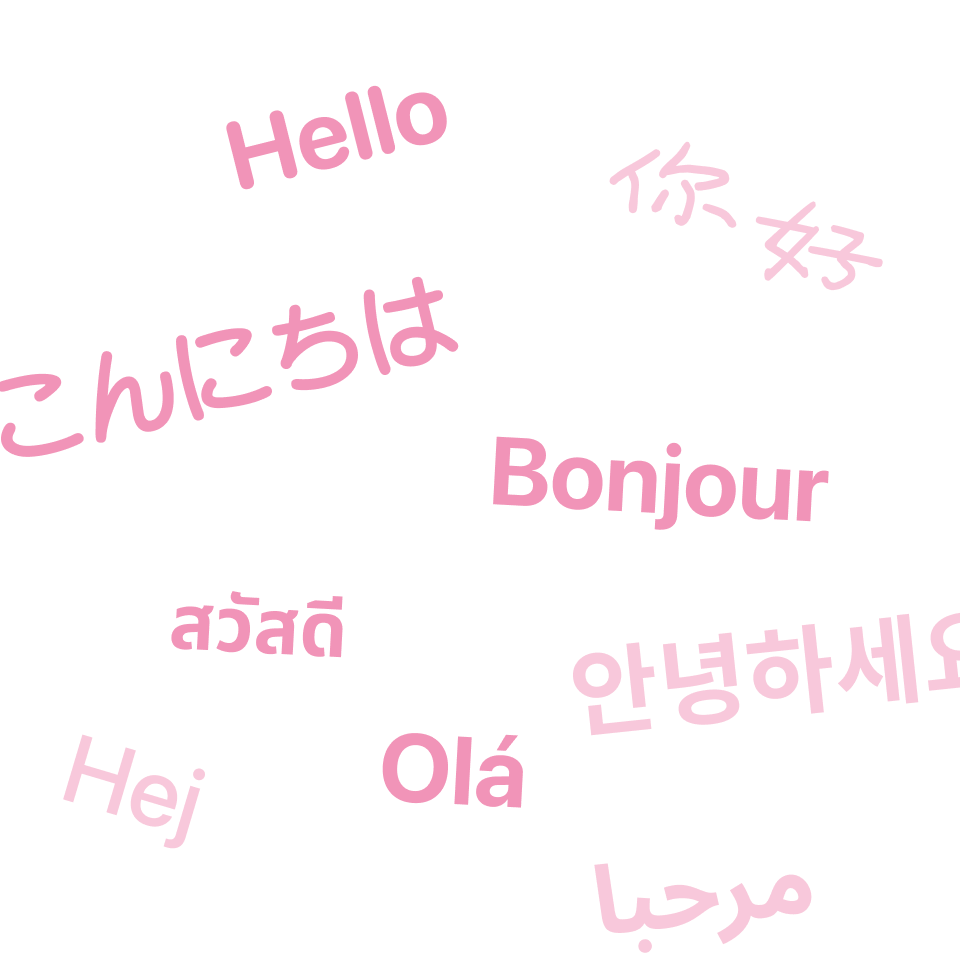
雙語對照顯示
原文與譯文並排顯示,便於輕鬆驗證研究論文翻譯及引用的準確性。
智慧語境分析
AI 智慧語境會在翻譯前分析整篇期刊文章,以確保全篇文件的學術術語連貫一致。


安全處理機制
企業級加密保護機密研究數據,確保醫學期刊翻譯和學術手稿處理過程中的安全性。
誰能從期刊翻譯中獲益

獲取全球知識
學術研究人員需要閱讀外語期刊,以掌握國際最新發現、引用多元化來源,並在多語言平台發表研究成果以擴大影響力。

理解複雜文獻
研究生翻譯專業期刊以進行論文研究、文獻回顧,並理解超出其母語能力範圍的語言所發表的進階理論。

監控產業趨勢
市場分析師翻譯產業期刊,以追蹤新興技術、競爭情報及不同地區的法規變更,從而制定全面的商業策略。
專業期刊翻譯流程
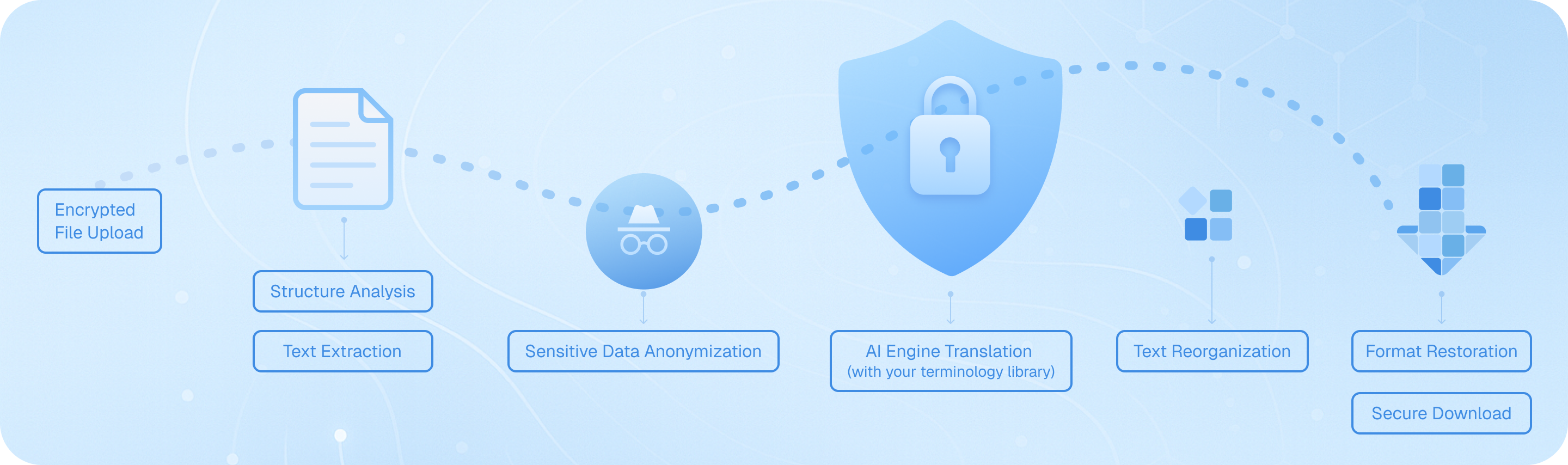
我們的文件翻譯器採用嚴謹的七步工作流程:加密安全上傳、智能結構分析以識別章節和引用、精確的文字提取以保留學術格式、使用您的自定義術語資料庫進行 AI 驅動的翻譯(支援 100 多種語言)、保持原始語境的無縫文字重組、包括表格和參考文獻在內的完整格式還原,以及加密下載——確保您的研究論文、學術期刊和學術文章在雙語翻譯過程中始終保持專業完整性。
期刊翻譯常見問題
我如何在翻譯學術期刊時保留原始格式和引用?
在翻譯學術期刊時,維持原始版面、參考文獻和引用格式對於學術誠信至關重要。沉浸式翻譯的文件翻譯功能在此方面表現出色,它能保留 PDF 檔案的結構,包括表格、圖表和註腳。您只需上傳 PDF 格式的期刊文章,該工具就會生成一個保留所有格式的雙語並排版本。對於需要準確引用翻譯段落的研究人員來說,這特別有價值。BabelDOC 進階模組更進一步,能夠偵測文件結構並處理數學公式和多欄版面等複雜元素。對於包含大量參考文獻的期刊文章,AI 情境感知翻譯選項能確保技術術語在整份文件中保持一致,這在翻譯不同領域的研究論文時至關重要。
翻譯科學期刊和研究文章時,我應該使用哪種翻譯引擎?
選擇期刊翻譯引擎時,取決於您的特定領域和語言對。沉浸式翻譯整合了超過 18 種翻譯服務,讓您可以靈活選擇最準確的選項。對於科學和醫學期刊,DeepL 在歐洲語言方面通常提供優秀的結果,而 ChatGPT 和 Gemini 則擅長理解複雜的學術語境並保持技術精確度。如果您正在翻譯亞洲和西方語言之間的期刊,像 DeepSeek 這樣的專業引擎可以提供卓越的準確度。我建議在承諾翻譯整份文件之前,先用不同的引擎測試您期刊文章中的一個段落,以比較品質。AI 智慧情境功能對於冗長的研究論文特別有益,因為它會預先摘要內容,以在整個翻譯過程中保持術語一致性。這可以防止同一個技術術語在長篇學術文章的不同章節中被翻譯成不同內容的常見問題。
我可以翻譯 PDF 以外格式的期刊文章,例如 ePub 或 HTML 嗎?
當然可以。雖然 PDF 是學術期刊最常見的格式,但沉浸式翻譯支援多種文件類型,包括 ePub 電子書、HTML 網頁、DOCX 檔案、Markdown 文件和純文字檔案。當您從不同來源存取期刊文章時,這種多功能性特別有用。例如,許多開放獲取期刊以 HTML 格式發布,您可以使用雙語顯示功能直接在瀏覽器中翻譯。如果您已將期刊文章下載為 ePub 檔案以便在行動裝置上閱讀,您可以上傳它們進行翻譯,並獲得在平板電腦或智慧型手機上易於導覽的雙語版本。該工具還處理字幕檔案,如果您正在翻譯影片期刊或會議簡報,這會很有幫助。無論格式為何,您都可以根據是否需要參考原文,選擇用於比較的雙語輸出或僅用於更清晰閱讀的純翻譯輸出。
雙語期刊翻譯如何協助學術寫作與文獻回顧?
並排雙語顯示對於學術寫作和進行文獻回顧來說是一項革命性的功能。當您使用沉浸式翻譯翻譯期刊文章時,原文和譯文會並排顯示,讓您能快速驗證關鍵概念和術語的準確性。當您撰寫論文並需要準確引用外語來源時,這點無價。您不必僅依賴翻譯,而是可以確切看到原作者的寫作內容,確保您的引用保持學術誠信。對於文獻回顧,此功能可幫助您高效處理大量國際研究。您可以瀏覽譯文以了解主要論點,然後在需要直接引用或驗證特定術語時參考原文。即時選文翻譯功能進一步增強了這種工作流程——只需反白標示任一語言中的任何單字或句子,即可在彈出視窗中立即獲得定義或替代翻譯,而不會打斷您的閱讀節奏。
免費版在翻譯學術期刊方面有哪些限制,我何時應該升級?
沉浸式翻譯的免費版非常大方,適合偶爾翻譯期刊的需求。您可以免費存取基本的文件翻譯功能和多種翻譯引擎。然而,如果您是經常翻譯期刊文章的研究生、研究人員或學術專業人士,升級到專業版會帶來顯著的優勢。BabelDOC 的免費層級每月允許高達 1,000 頁,這對於輕度使用可能已經足夠,但專業版將此限制提高到每月 10,000 頁——這對於全面的文獻回顧或學位論文研究至關重要。專業版還解鎖了先進功能,例如掃描 PDF 識別,這對於沒有數位文字格式的舊期刊文章至關重要,以及針對數學、物理和化學期刊的優越公式識別功能。此外,還可以使用進階的 ChatGPT 模型和專業學術翻譯器等高級翻譯引擎,為複雜的科學術語提供更高的準確度。如果您發現自己每週翻譯超過幾篇期刊文章,或者您需要出版品質工作的最高品質翻譯,那麼升級是值得的。
我如何確保在多篇期刊文章中,專業術語的翻譯保持一致?
研究人員在翻譯同一領域的多篇期刊文章時,保持術語一致是一個常見的挑戰。沉浸式翻譯透過其 AI 智慧語境功能解決了這個問題,該功能會在翻譯前分析整份文件,以了解主題內容並保持術語使用的一致性。當您處理一系列相關的期刊文章時,此功能確保專業詞彙能夠統一翻譯。為了獲得更大的控制權,您可以利用多項翻譯服務整合來建立您自己的工作流程:首先翻譯一篇確立您領域核心術語的關鍵文章,然後在翻譯後續論文時將其作為參考。即時文字選取翻譯功能讓您可以快速檢查特定術語在先前文件中是如何翻譯的。如果您正在為特定的研究計畫翻譯期刊,請考慮保留一份重要術語及其首選翻譯的詞彙表。雖然沉浸式翻譯在基本版本中沒有內建的自訂詞典功能,但在文件中途切換翻譯引擎的能力意味著您可以針對每個部分選擇最能處理您領域專業詞彙的引擎。
沉浸式翻譯能否協助翻譯期刊文章,以利於國際合作與發表?
是的,沉浸式翻譯是從事國際合作並準備在外語期刊發表手稿的研究人員的絕佳工具。與國際同事合作時,您可以使用文件翻譯功能快速理解他們以母語分享的研究論文,從而促進更富有成效的討論。雙語輸出在同行評審過程中特別有用——如果您收到其他語言的審稿人意見,您可以在翻譯的同時保留原文可見,以確保您針對提出的具體問題進行回應。對於準備向國際期刊投稿的研究人員,該工具透過翻譯目標期刊的範例文章,幫助您研究目標出版物中使用的寫作風格和術語。這讓您深入了解您領域中的概念是如何用目標語言表達的。跨平台可用性意味著您可以在不同設備之間無縫工作:在研究時在桌面上翻譯期刊文章,然後在通勤途中在移動設備上審閱。對超過 100 種語言對的支援幾乎涵蓋了所有主要的學術出版語言,從英語和中文到德語、法語、西班牙語、日語和韓語,使其對全球學術交流真正具有價值。