

















Melhor Tradutor de Markdown para Resultados Instantâneos
1
Selecione a ferramenta de tradução para suas necessidades.
2
Envie o arquivo.
3
Baixe o documento traduzido no formato de sua preferência.
Tradutor de Markdown: Precisão Encontra Simplicidade
O Tradutor de Documentos do Immersive Translate fornece tradução de markdown instantânea e precisa com exibição bilíngue, preservando a formatação e suportando mais de 18 mecanismos de IA para resultados de nível profissional.

Preservação de Formato
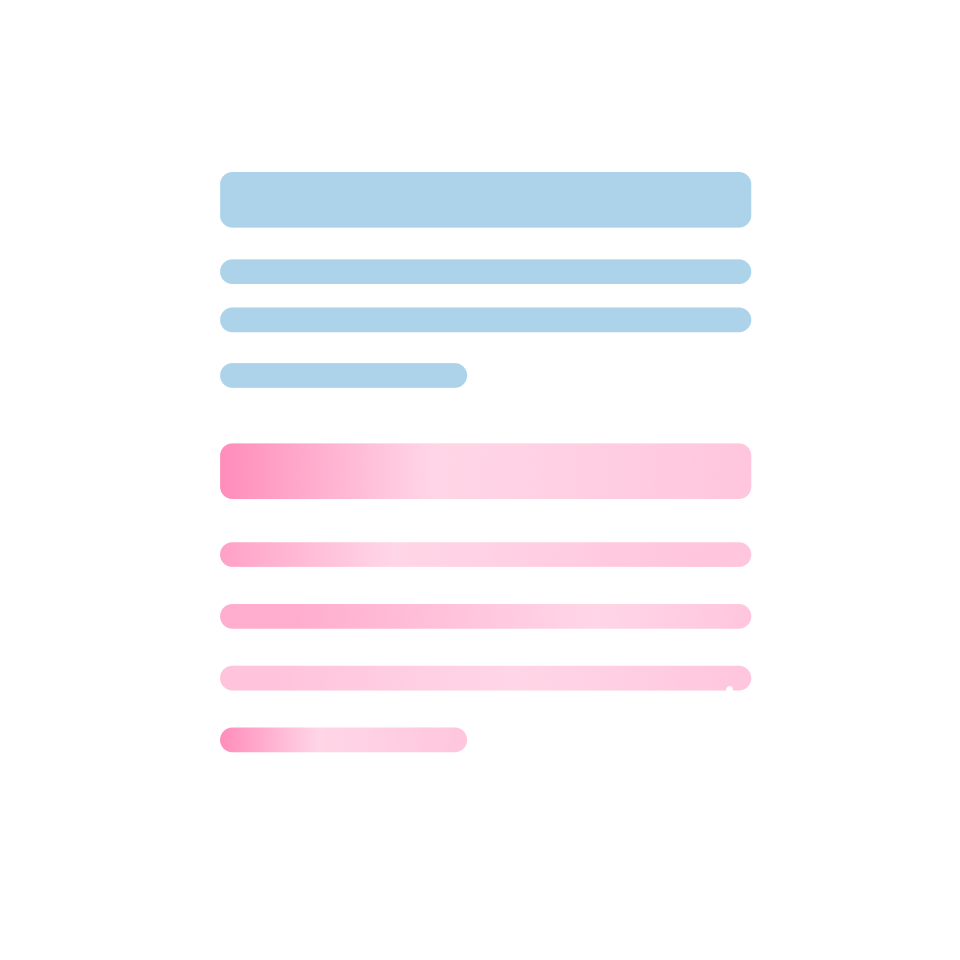
Mantém perfeitamente a sintaxe markdown original, cabeçalhos, listas e blocos de código durante a tradução sem quebrar a estrutura.
Precisão da Tradução
Mecanismos de IA com reconhecimento de contexto analisam documentos inteiros antes de traduzir, garantindo terminologia consistente e frases naturais ao longo de todo o texto.
Múltiplos Mecanismos
Escolha entre ChatGPT, DeepL, Gemini ou mais de 15 outros serviços para corresponder ao seu tipo de conteúdo markdown.
Saída Bilíngue
A exibição lado a lado mostra o markdown original e o traduzido simultaneamente, ideal para revisão de documentação técnica e aprendizado.

Processamento Seguro
A criptografia de ponta a ponta protege seus arquivos markdown durante a tradução, sem retenção de dados após a conclusão do processamento.
Quem Usa Tradutores de Markdown

Barreiras na Documentação Técnica
Engenheiros de software traduzem arquivos README e documentações de API para colaborar globalmente, preservando blocos de código e formatação enquanto alternam perfeitamente entre linguagens de programação.

Desafios de Localização de Conteúdo
Redatores técnicos e blogueiros traduzem artigos em markdown para públicos internacionais, mantendo hiperlinks, imagens e estilos para alcançar leitores multilíngues com eficiência.

Demandas de Preservação de Formato
Linguistas profissionais lidam com arquivos markdown de clientes, exigindo ferramentas que mantenham a estrutura original, metadados e caracteres especiais ao longo do fluxo de trabalho de tradução.
Como funciona a tradução de Markdown
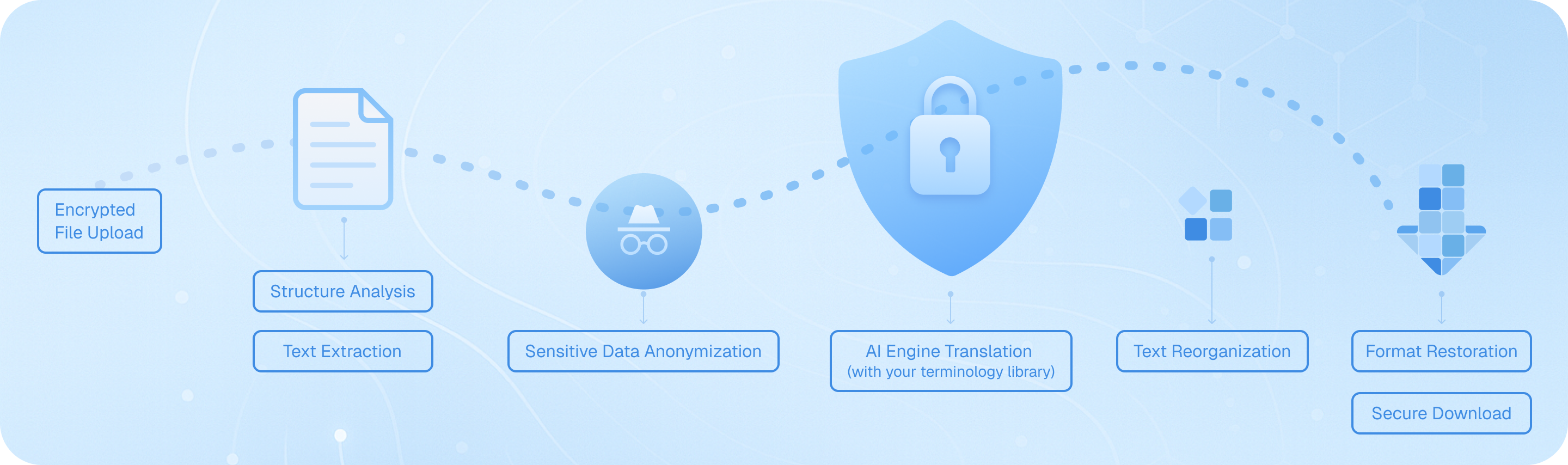
Carregue seu arquivo Markdown com segurança, e nosso sistema analisa sua estrutura — títulos, listas, blocos de código — e extrai o texto traduzível preservando a formatação. Os motores de IA traduzem o conteúdo com consciência do contexto, reconstituem os elementos mantendo a sintaxe original e entregam um arquivo bilíngue ou no idioma de destino pronto para download, mantendo sua documentação técnica intacta.
Perguntas Frequentes sobre a tradução de Markdown
Como posso traduzir arquivos Markdown preservando a formatação e os blocos de código?
Ao traduzir documentos Markdown, manter a estrutura original — incluindo cabeçalhos, listas, trechos de código e formatação em linha — é crucial. O recurso de tradução de documentos do Immersive Translate lida com arquivos Markdown de forma inteligente, reconhecendo a sintaxe e preservando todos os elementos de formatação durante a tradução. Basta carregar seu arquivo .md através da extensão do navegador ou aplicativo móvel, selecionar seu idioma de destino e escolher entre mais de 18 mecanismos de tradução de IA, como ChatGPT, DeepL ou Gemini. A ferramenta processa seu conteúdo mantendo blocos de código, links e marcadores de ênfase intactos. Para documentação técnica ou notas de desenvolvedor escritas em formato Markdown, isso garante que sua versão traduzida permaneça funcional e legível. A opção de exibição bilíngue lado a lado é particularmente valiosa aqui — você pode comparar o conteúdo Markdown original e traduzido parágrafo por parágrafo, facilitando a verificação de que termos técnicos, nomes de variáveis e exemplos de sintaxe são tratados corretamente. Essa abordagem economiza horas em comparação com a tradução manual ou o uso de tradutores de texto básicos que quebram a estrutura Markdown.
Qual é a melhor maneira de traduzir documentação em Markdown multilíngue para equipes internacionais?
Para equipes que gerenciam documentação técnica, arquivos README ou bases de conhecimento em Markdown, o Immersive Translate oferece um fluxo de trabalho simplificado que suporta mais de 100 pares de idiomas. O recurso de Contexto Inteligente com IA da plataforma é especialmente poderoso para documentos Markdown longos — ele pré-resume seu conteúdo antes da tradução, garantindo terminologia consistente e mantendo o contexto em várias seções. Isso é crítico ao traduzir documentação de desenvolvedor, onde um termo como 'implantação' ou 'repositório' deve ser traduzido de forma consistente ao longo de todo o texto. Você pode processar em lote vários arquivos Markdown, escolhendo diferentes mecanismos de tradução com base em suas necessidades: DeepL para idiomas europeus, ChatGPT para conteúdo técnico com nuances ou Google Translate para rascunhos rápidos. O plano gratuito permite um uso substancial, enquanto a versão Pro aumenta sua cota mensal de páginas para 10.000 páginas — ideal para grandes projetos de documentação. Após a tradução, a sintaxe Markdown preservada significa que você pode imediatamente fazer o commit dos arquivos traduzidos no seu repositório ou publicá-los em seu site de documentação sem reformatar. Isso elimina o gargalo tradicional de correções de formatação manual após a tradução.
Posso traduzir conteúdo Markdown diretamente no meu navegador enquanto leio repositórios do GitHub ou sites de documentação?
Absolutamente. A extensão de navegador do Immersive Translate transforma a forma como você consome conteúdo baseado em Markdown em plataformas como GitHub, GitLab ou serviços de hospedagem de documentação. Ao visualizar um arquivo README.md ou uma página wiki, basta ativar a extensão para ver uma tradução bilíngue instantânea sobreposta ao conteúdo original. O modo de tradução paralela exibe o Markdown original e a versão traduzida lado a lado, o que é inestimável quando você está tentando entender documentação de código em língua estrangeira ou instruções de projetos de código aberto. Para consultas rápidas, o recurso de tradução ao passar o mouse permite destacar qualquer parágrafo Markdown ou comentário de código para ver um pop-up de tradução imediata — perfeito para entender termos técnicos específicos sem traduzir a página inteira. Você também pode usar atalhos de teclado para ativar e desativar a tradução, tornando a troca entre os modos de leitura perfeita. Este recurso de tradução de Markdown em tempo real funciona no Chrome, Edge, Firefox e Safari, e suporta os mesmos 18+ mecanismos de tradução disponíveis para upload de documentos. Para desenvolvedores que colaboram em projetos internacionais ou aprendem com comunidades globais de código aberto, este recurso elimina as barreiras linguísticas sem interromper o seu fluxo de trabalho.
Como o Immersive Translate lida com terminologia técnica e trechos de código em arquivos Markdown?
Documentos Markdown técnicos frequentemente misturam linguagem natural com exemplos de código, referências de API e terminologia especializada — um desafio para as ferramentas de tradução padrão. O Immersive Translate resolve isso através do reconhecimento inteligente de conteúdo: ele detecta automaticamente blocos de código (tanto em linha quanto cercados) e os preserva sem tradução, garantindo que seus exemplos de sintaxe permaneçam funcionais. Para o texto explicativo ao redor, você pode aproveitar mecanismos de IA premium como o ChatGPT ou o DeepSeek, que compreendem o contexto técnico melhor do que a tradução automática tradicional. Esses mecanismos reconhecem conceitos de programação, nomes de frameworks e jargões da indústria, fornecendo traduções mais precisas que mantêm o significado pretendido. Ao traduzir documentação de desenvolvedor, guias de API ou posts de blog técnicos escritos em Markdown, a opção de Contexto Inteligente de IA analisa primeiro a estrutura completa do documento, construindo um glossário de termos técnicos recorrentes para garantir consistência. Por exemplo, se o seu arquivo Markdown discute 'funções assíncronas' na primeira seção, o mesmo termo será traduzido de forma idêntica nas seções posteriores. Você também pode criar regras de tradução personalizadas ou usar o recurso de aprimoramento da caixa de entrada para refinar frases técnicas específicas antes de finalizar sua tradução. Essa combinação de preservação automática de código e tradução consciente do contexto torna o Immersive Translate exclusivamente adequado para conteúdo Markdown técnico.
Quais são as vantagens de usar tradução bilíngue de Markdown para aprendizado e documentação?
A exibição paralela bilíngue é um dos recursos mais poderosos do Immersive Translate para qualquer pessoa que trabalhe com conteúdo Markdown para fins educacionais ou de referência. Ao traduzir um tutorial em Markdown, material de curso ou guia técnico, ver as versões original e traduzida lado a lado acelera a compreensão e o aprendizado de idiomas. Estudantes que aprendem programação através de tutoriais em Markdown em língua estrangeira podem acompanhar em seu idioma nativo, enquanto gradualmente adquirem vocabulário técnico no idioma de origem. Para escritores de documentação que criam versões multilíngues do mesmo conteúdo Markdown, a visualização paralela serve como uma verificação de qualidade instantânea — você pode verificar se títulos, listas e ênfases estão traduzidos corretamente e se nenhum conteúdo foi omitido acidentalmente. Pesquisadores que traduzem notas acadêmicas em Markdown ou revisões de literatura se beneficiam ao poder citar a fraseologia original enquanto compreendem a tradução. A preservação do formato significa que todos os seus elementos Markdown — tabelas, notas de rodapé, citações em bloco — aparecem corretamente em ambos os idiomas, mantendo a estrutura pedagógica do documento. Esta abordagem é muito superior à saída apenas de tradução, que força você a alternar constantemente entre arquivos para verificar a precisão. Combinado com o recurso de tradução instantânea por seleção de texto, você pode clicar em qualquer termo desconhecido em qualquer uma das colunas para ver definições e pronúncia, transformando cada documento Markdown em um recurso de aprendizado interativo.
Como posso traduzir grandes projetos Markdown ou repositórios de documentação inteiros de forma eficiente?
Para projetos substanciais de tradução de Markdown — como sites de documentação inteiros, e-books com vários capítulos ou bases de conhecimento abrangentes — o sistema de tradução de documentos do Immersive Translate oferece eficiência e qualidade. Comece carregando seus arquivos Markdown através da extensão; a plataforma suporta processamento em lote, para que você possa colocar na fila vários arquivos .md para tradução em uma única sessão. O recurso de Contexto Inteligente por IA torna-se essencial aqui: ele analisa as relações entre os documentos, mantendo uma terminologia consistente em todo o seu projeto. Por exemplo, se você estiver traduzindo um manual de software com arquivos Markdown separados para instalação, configuração e solução de problemas, o sistema garante que termos técnicos como 'variável de ambiente' ou 'dependência' sejam traduzidos de forma idêntica ao longo de todo o texto. Com a versão Pro (BabelDOC), você ganha acesso à detecção avançada de estrutura de documentos e pode traduzir até 10.000 páginas mensalmente — suficiente até mesmo para projetos de documentação em grande escala. A formatação Markdown preservada significa que seus arquivos traduzidos estão imediatamente utilizáveis; você pode integrá-los em geradores de sites estáticos como Jekyll, Hugo ou MkDocs sem processamento adicional. Para projetos em andamento, você pode salvar suas configurações preferidas de mecanismo de tradução e par de idiomas, agilizando atualizações futuras. Esta abordagem sistemática reduz o tempo de tradução de semanas para horas, mantendo a qualidade profissional, tornando prático manter documentação multilíngue sem uma equipe de tradução dedicada.
Existe uma solução econômica para traduzir regularmente conteúdo em Markdown para blogs ou criação de conteúdo?
Criadores de conteúdo, blogueiros técnicos e mantenedores de documentação que trabalham regularmente com Markdown acharão o modelo de preços do Immersive Translate excepcionalmente prático. O plano gratuito oferece acesso generoso a vários mecanismos de tradução e suporta todos os principais recursos do Markdown, tornando-o viável para blogueiros individuais ou pequenos projetos. Você pode traduzir até 1.000 páginas mensalmente com os recursos avançados do BabelDOC sem custo — mais do que suficiente para postagens semanais de blog ou atualizações regulares de documentação. Para criadores de conteúdo profissionais que gerenciam vários sites ou publicam com frequência, a assinatura pro desbloqueia 10.000 páginas mensalmente e acesso prioritário a mecanismos de IA premium como ChatGPT e Gemini, que fornecem traduções mais naturais e envolventes, adequadas para conteúdo voltado ao público. A disponibilidade multiplataforma significa que você pode traduzir rascunhos em Markdown no seu navegador de desktop e, em seguida, revisá-los e refiná-los no seu dispositivo móvel. O recurso de aprimoramento da caixa de entrada é particularmente útil para criadores de conteúdo: ao escrever novo conteúdo em Markdown, você pode traduzir parágrafos ou seções individuais em tempo real para criar postagens bilíngues simultaneamente. Isso elimina o fluxo de trabalho tradicional de escrever em um idioma e, em seguida, traduzir e formatar separadamente para outros públicos. Combinado com a capacidade de alternar entre serviços de tradução com base no tipo de conteúdo — usando DeepL para blogs em línguas europeias ou ChatGPT para escrita técnica criativa — você obtém tradução de Markdown de qualidade profissional a uma fração do custo de contratar tradutores humanos ou assinar várias ferramentas especializadas.
Formatos Suportados
Tradutor de PDFTradutor de legendasTradutor HTMLTradutor de ePubtradutor de MarkdownTradutor de arquivo txtTradutor de arquivo do WordTradutor de arquivo SRTTradutor de arquivo ASSTradutor de arquivo VTTTradutor de currículosTradutor de licitaçõesTraduzir artigoTradutor de relatóriosTradução de relatório médicoTradução de relatório anualTradução de relatórios financeirosTradução de relatório comercialTradução de revista