Translate Text Instantly — Free Online Translator, No Sign-Up Required
When you need a translation, you need it now — not after a registration form and a welcome email. Immersive Translate is a free online translator you can use the moment the page loads: open the Text Translation tool, paste your text, pick your languages, and get an instant AI translation. There is no sign-up step and no cost to translate text. It works for the quick stuff — a word you just looked up, a phrase in an email — and for longer passages where getting the meaning right matters.
What the tool covers at a glance:
-
Any text you are working with — a word, a phrase, a sentence, an email, a full paragraph
-
100+ language pairs — English to Chinese, Japanese, Korean, French, German, Spanish, and many more
-
20+ AI translation engines — Google, ChatGPT, DeepL, Gemini, DeepSeek, and others, switchable on the same text
-
Bilingual reading — translations shown alongside the original, not swapped in its place
How to Use This Online Translator (3 Steps)
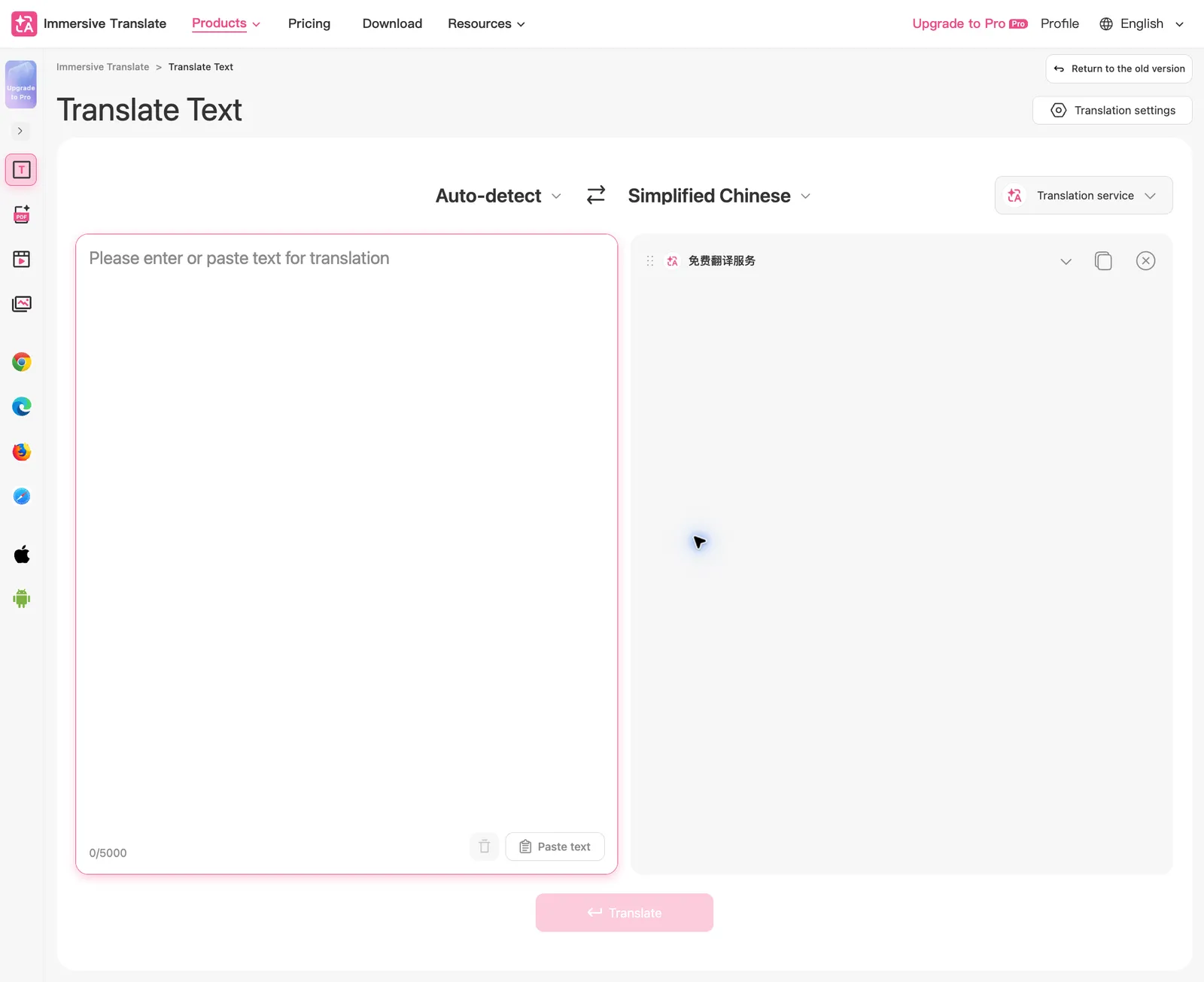
The shortest path from text to translation takes three steps:
-
Open the Text Translation tool. Go to the online text translation tool in your browser — no installation, no account.
-
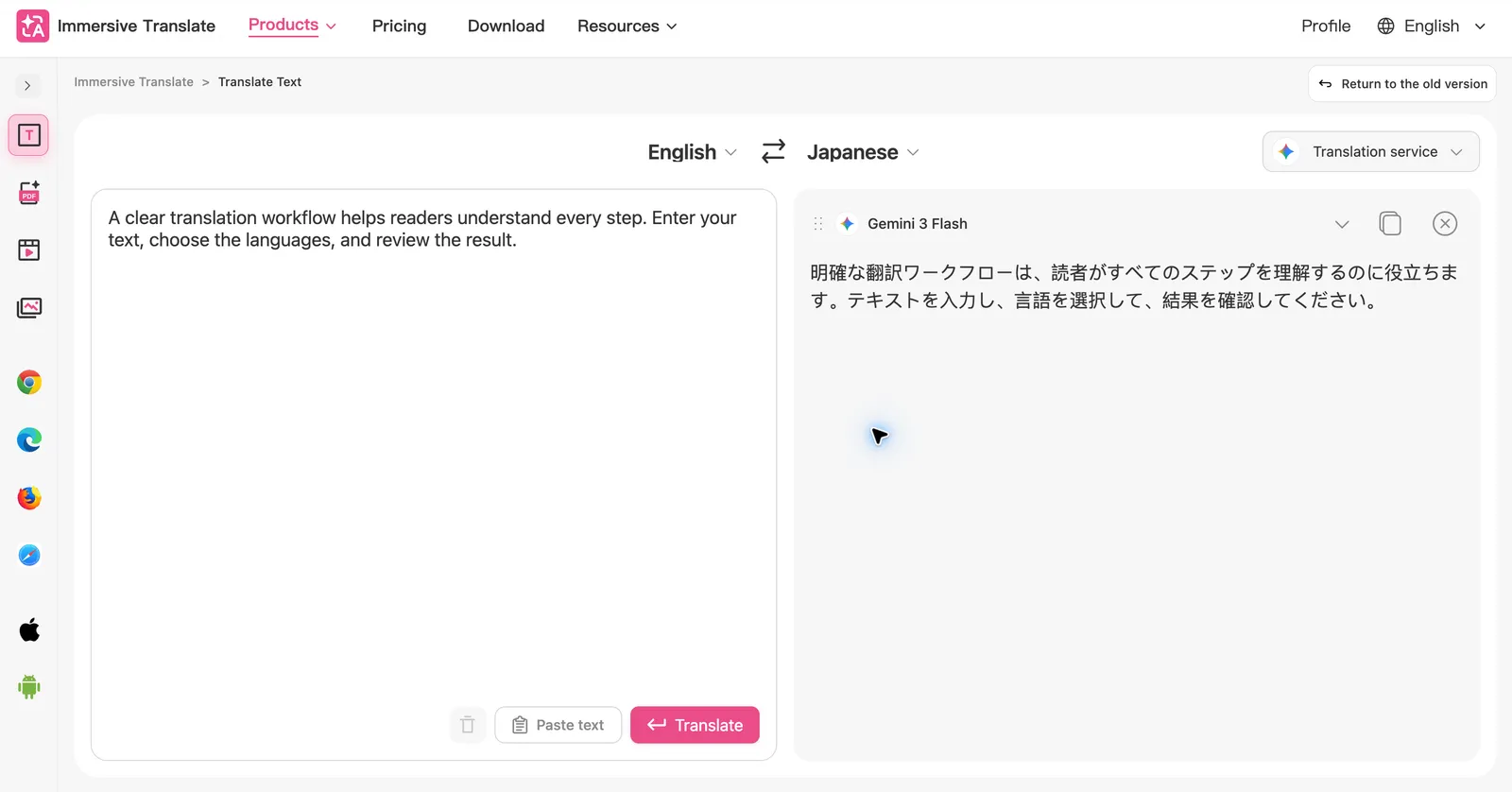
Enter your text and choose your languages. Paste or type the passage you need translated, then select the source and target languages. With more than 100 language pairs available, you can translate between the languages you actually read and write in.
-
Read your translation — and compare if you want a second opinion. The result appears immediately. Because the tool integrates multiple AI engines, you can switch to a different engine without leaving the page.
That is the entire workflow. For occasional text translation, the browser tool is all you need. If you translate regularly — or want the same bilingual experience on full web pages, PDFs, and video subtitles — the Immersive Translate browser extension and mobile apps bring the same engine lineup to everything you read.
Read the Original and the Translation Side by Side
A good translation is one you can verify. Yet most online translators work by substitution: once a page or passage is translated, the original disappears, and you are left trusting a single rendering you can no longer check. For casual phrases that is fine. For anything that matters — a contract clause, a research abstract, a news report you plan to cite — it is a real weakness, because a sentence taken out of context can carry several plausible meanings, and single-word lookups are exactly where language translation misleads most.
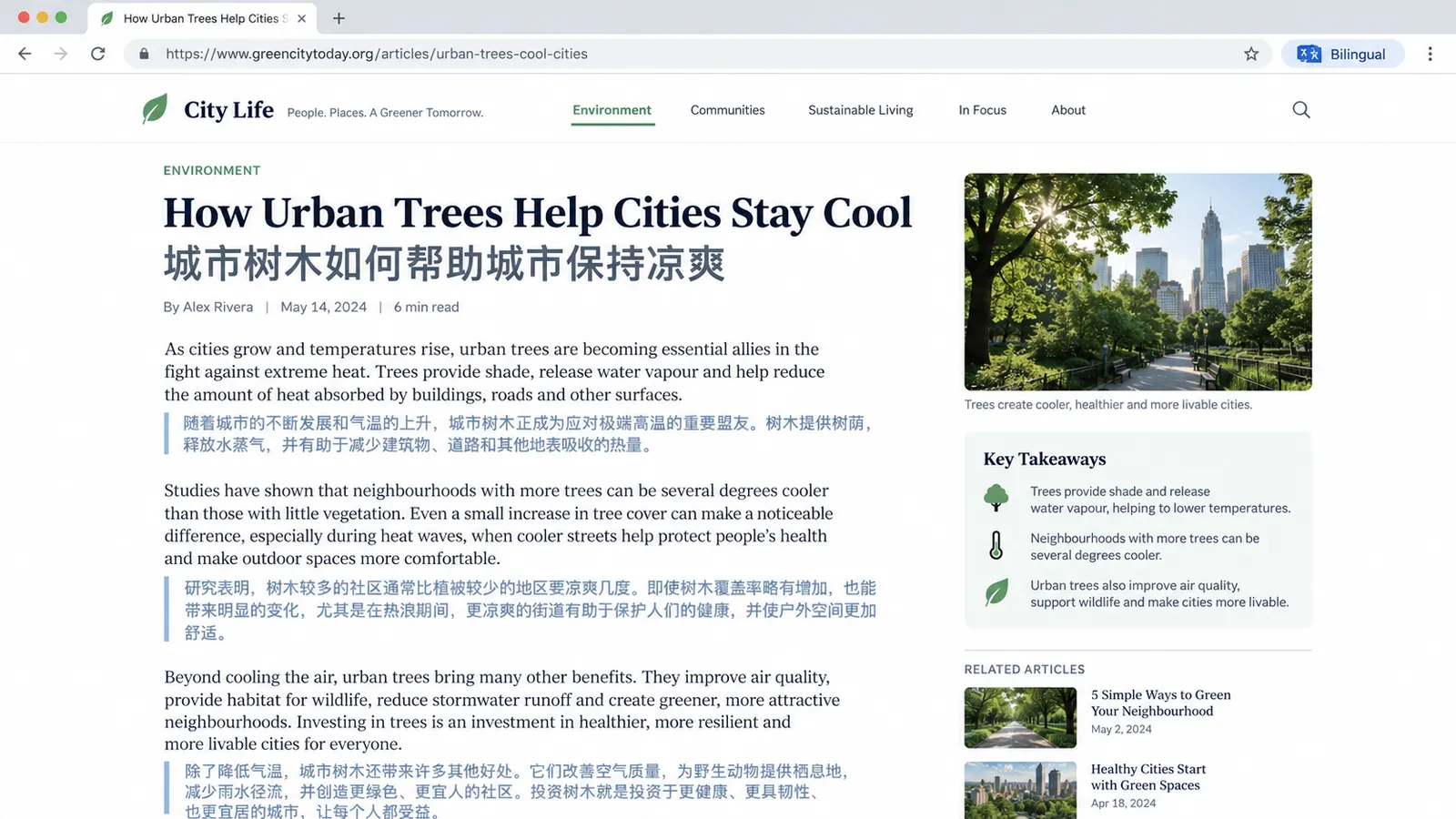
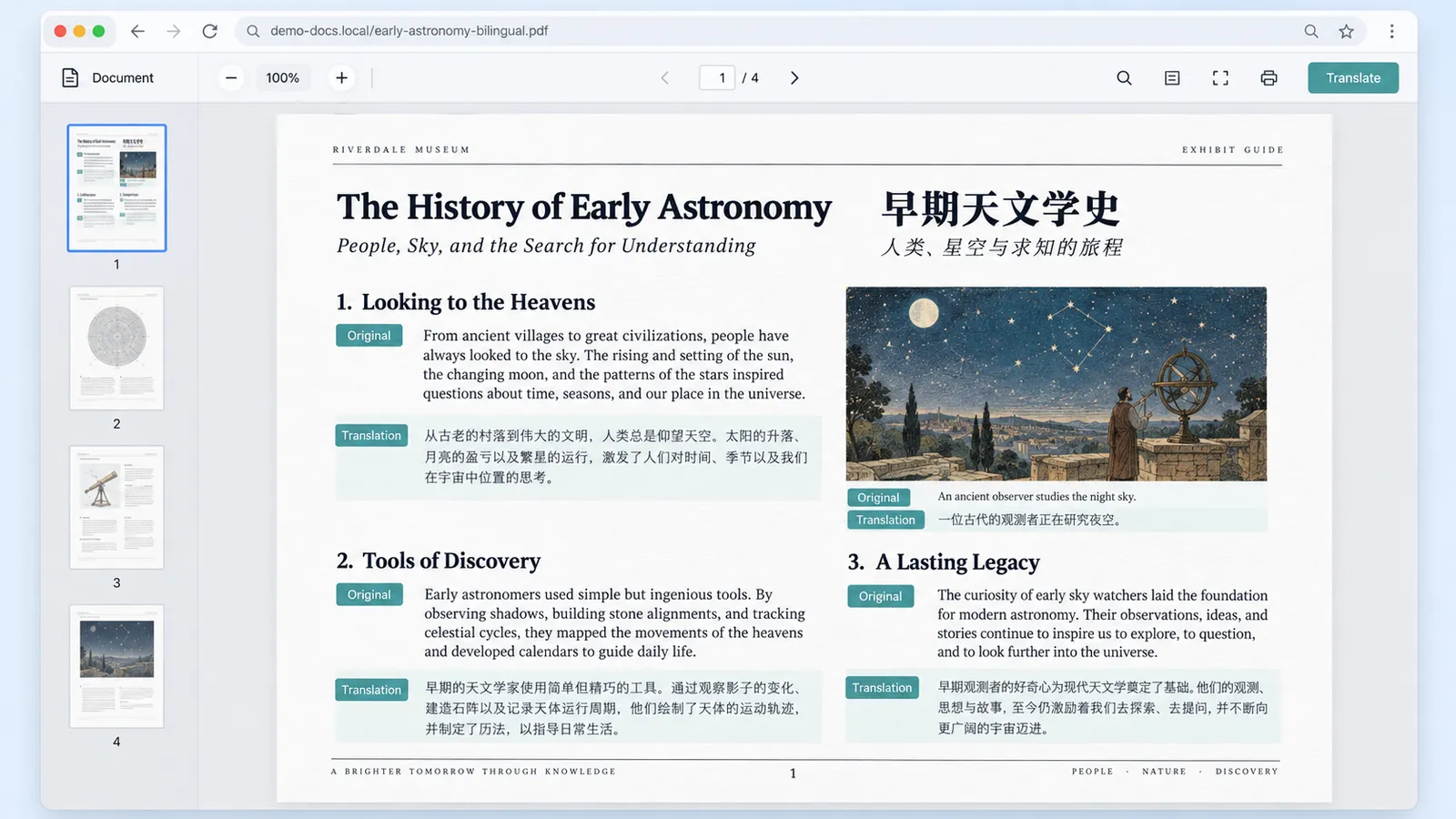
Bilingual side-by-side reading takes the opposite approach. Immersive Translate pioneered the side-by-side vertical bilingual layout for web translation: the translation appears directly beneath each original paragraph, so you read the source text first and check the translation only where it matters. The original is never hidden, and the page keeps its structure and reading rhythm.
Where this mode earns its keep:
-
Language learning. Keep vocabulary and grammar in context instead of memorizing isolated word lists. Select any word or phrase for an instant translation without leaving the page, or hover over a paragraph to reveal its translation right below.
-
Professional literature. Verify how papers, technical documentation, and medical or legal texts were actually worded, instead of trusting a translated paraphrase.
-
Long, complex sentences. Compare the two versions line by line — precisely where a single rendering is most likely to hide nuance.
One Tool, 20+ AI Translation Engines — Including ChatGPT, DeepL and Gemini
Can ChatGPT do translation? Yes. Large language models such as ChatGPT, Gemini, and DeepSeek can translate text, and they tend to do particularly well with longer sentences and context-dependent phrasing. Dedicated translation engines like DeepL and Google Translate — built specifically for translation — bring speed and consistency at scale. Neither kind of engine wins every time, and the sensible way to choose is to try both on your own text. The question is not whether AI can translate; it is which engine fits the passage in front of you.
That is what Immersive Translate is built for. It integrates over 20 leading translation engines in one tool, so you can translate the same passage with different engines and switch until the output reads right:
| Engine family | Included engines |
|---|---|
| Global engines | Google Translate, OpenAI (ChatGPT), Gemini, DeepL, Bing Translator, DeepSeek |
| Regional and specialist engines | Tencent Hunyuan, Volcengine, Youdao, Baidu, Niutrans, Caiyun, OpenL, Zhipu AI, SiliconFlow |
A simple rule of thumb when you are looking for an accurate translator:
-
Quick, everyday translation. Established engines such as Google or Bing deliver fast, dependable output for common language pairs.
-
Context-sensitive passages. LLM engines like ChatGPT, Gemini, or DeepSeek often handle tone, nuance, and long sentences more gracefully.
-
Specialized or regional content. Regional engines can be a strong fit for specific language pairs and localized terminology.
Because every engine is one switch away, the question of which engine translates your text best stops being a matter of opinion — run the same paragraph through two or three and compare the results yourself. For specialized subjects, context-aware translation with customizable terminology libraries keeps domain terms consistent across websites, PDFs, and video subtitles.
More Than Text: Translate Documents, Videos, Images and Comics Online
Plenty of what needs translating never fits in a text box. Beyond plain text, the same platform covers the formats people actually struggle with:
-
Documents and PDFs. Translate PDF, ePub, DOCX, HTML, TXT, Markdown, and subtitle files with the original layout preserved — including scanned PDFs via OCR. Choose bilingual or translation-only output, which suits everything from academic papers to contracts. Start with document and PDF translation.
-
Videos. Real-time bilingual subtitles on more than 100 video platforms, including YouTube, Netflix, and Prime Video — including videos that ship without original subtitles. Start with video subtitle translation.
-
Images. Translate screenshots and web images with OCR plus inpainting, keeping the original layout and visual style intact. Start with image translation.
-
Comics and manga. Read Japanese manga, Korean webtoons, and Western comics as soon as chapters are released, without waiting for official translations. Start with comic and manga translation.
Online Translator FAQs
Is AI translator free?
Yes. Immersive Translate is a free online translator: you can translate text without creating an account or paying. For current details on usage limits and optional Pro features, see the official pricing page.
Can ChatGPT do translation?
Yes. ChatGPT and other large language models — including Gemini and DeepSeek — can translate text, and they often perform well on longer, context-heavy passages. In Immersive Translate, ChatGPT is one of the 20+ built-in engines, so you can translate with it directly or compare its output against DeepL, Google, and other engines on the same text.
Is there an online voice translator?
For spoken content, Immersive Translate currently supports real-time translation of online meetings on Zoom, Google Meet, and Microsoft Teams. Its core focus is text, web pages, documents, and video subtitles rather than general voice-to-text transcription.
What languages does the online translator support?
More than 100 language pairs, including English ↔ Chinese, Japanese, Korean, French, German, and Spanish — with coverage extending to languages such as Russian, Portuguese, Italian, Vietnamese, and Indonesian.
How many characters can I translate at once?
That depends on the engine you choose and your current plan. For the most up-to-date character limits and plan options, check the official pricing page.
How accurate is AI translation?
It varies by text type: everyday content usually translates well, while specialized or ambiguous passages need more care. Immersive Translate gives you two practical levers — switch between 20+ engines on the same text to cross-check a rendering, and use context-aware translation with customizable terminology libraries for consistent domain wording. For critical documents, review the bilingual output against the original before relying on it.
For more questions, see the official frequently asked questions.
100+ Languages Supported
The online translation tool supports more than 100 language pairs. The most-used directions include:
-
East Asian languages: English ↔ Chinese, English ↔ Japanese, English ↔ Korean
-
Major European languages: English ↔ French, English ↔ German, English ↔ Spanish, English ↔ Italian, English ↔ Portuguese, English ↔ Russian
-
Other widely used languages: English ↔ Vietnamese, English ↔ Indonesian, English ↔ Dutch, English ↔ Thai
… and many more. Whatever pair you need, select both languages in the Text Translation tool and translate in a single step.
Translate anything, in context, for free. Open the Text Translation tool for instant online translation, or install Immersive Translate to read the web bilingually — extensions for Chrome, Edge, Firefox, and Safari, plus iOS and Android apps. Trusted by over 20 million users worldwide and named among Chrome's 2024 favorites, Immersive Translate is built by Funstory.ai Limited (Hong Kong).