How to Translate Video from Portuguese to Spanish (And Master Spanish Video Translation)
Whether you're a content creator sharing Brazilian telenovelas with Spanish-speaking audiences, a business professional collaborating on Portuguese video presentations, or a language learner aiming to understand Portuguese content in Spanish, the need to translate video from Portuguese to Spanish is increasingly common. Yet finding a reliable tool that delivers accurate, natural-sounding translations without messy timelines or complicated workflows can be frustrating.
Most video translators require existing closed captions (CC), and those that don't often produce choppy subtitles. Enter Immersive Translator—a game-changing browser extension designed to simplify video translation. It not only supports translating video from Portuguese to Spanish but also translating videos from Spanish to other languages and handling Spanish to English video translation seamlessly. This guide walks you through step-by-step how to use it for flawless results, plus shares pro tips to elevate your experience.
Why Immersive Translator Stands Out for Video Translation
Unlike generic tools that treat subtitles as plain text, Immersive Translator combines advanced AI speech recognition, context-aware translation, and timeline optimization to create natural, synced subtitles. Its core strengths include:
- Dual Subtitle Support: Works with existing CC (industry standard) and, for YouTube/X users, Pro members can generate AI subtitles for CC-less videos—capturing audio, transcribing accurately, translating, and syncing perfectly.
- Language Versatility: Beyond Portuguese-to-Spanish, it supports 100+ languages—translate any language to Spanish (French, Mandarin, etc.) or translate Spanish video to English, German, and more.
- High Accuracy: Handles slang, idioms, and industry jargon, ensuring no loss of meaning.
- User-Friendly Workflow: No technical skills needed—intuitive controls for editing, customizing, and exporting subtitles (SRT, VTT, TXT).
- Multi-Platform Compatibility: Works on YouTube, X, Vimeo, Coursera, and 50+ other platforms—no video downloads required.
Step-by-Step Guide: Translate Video from Portuguese to Spanish
Prerequisites
- A browser (Chrome, Firefox, Edge—optimized for Immersive Translator)
- The Immersive Translator extension (free from Chrome Web Store/Firefox Add-ons)
For CC-less videos: Immersive Translator Pro subscription (unlocks AI subtitles)
Step 1: Install and Activate the Extension
- Search for "Immersive Translator" in the Chrome Web Store or Firefox Add-ons.
- Click "Add to Chrome"/"Add to Firefox" and follow installation prompts.
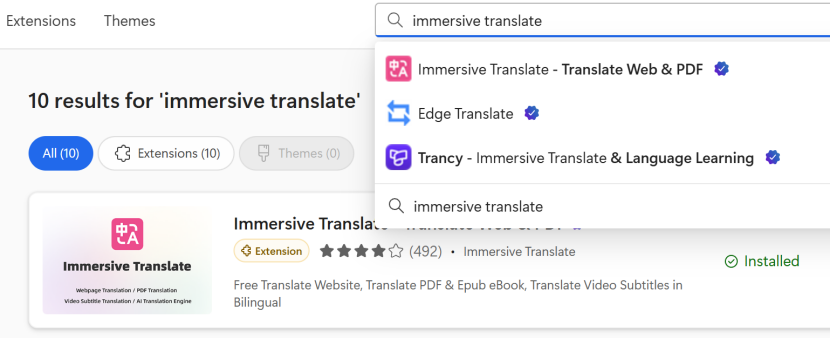
- Confirm activation via the toolbar icon (a "T" with a globe)—it lights up when active.
Step 2: Open Your Portuguese VideoNavigate to the hosting platform (YouTube, X, Vimeo, etc.). Pause the video at the start (e.g., a Brazilian cooking tutorial on YouTube).
Step 3: Check for Existing CC
- Look for the "CC" button in video controls (bottom right).
- If CC exists: Proceed to Step 4.
- If no CC (YouTube/X only): Pro members use AI subtitles—skip to Step 5.
Try Immersive Translate?
Translate web pages, PDFs, and video subtitles in real-time. Bilingual display makes foreign language content easier to read.
Install for FreeStep 4: Translate with Existing CC
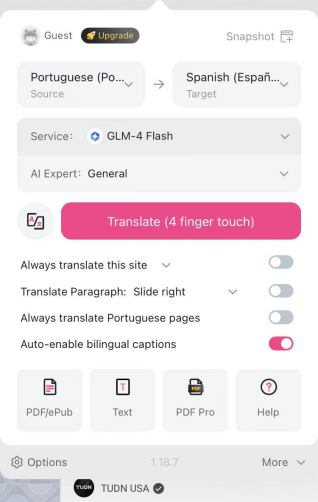
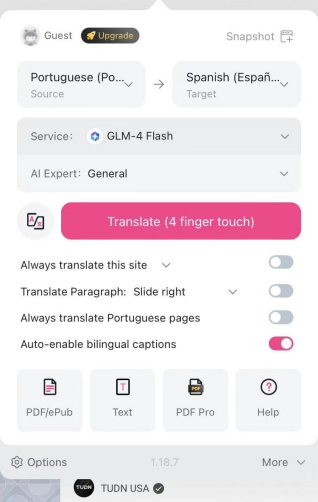
- Click the Immersive Translator icon and select "Video Translation" (side panel opens).
- Set "Source Language" to "Portuguese (Brazil)"/"Portuguese (Portugal)" (match dialect) and "Target Language" to "Spanish (Spain)"/"Spanish (Latin America)" (match audience).
- Click "Translation" - the tool processes CC, translates to Spanish, and syncs subtitles.
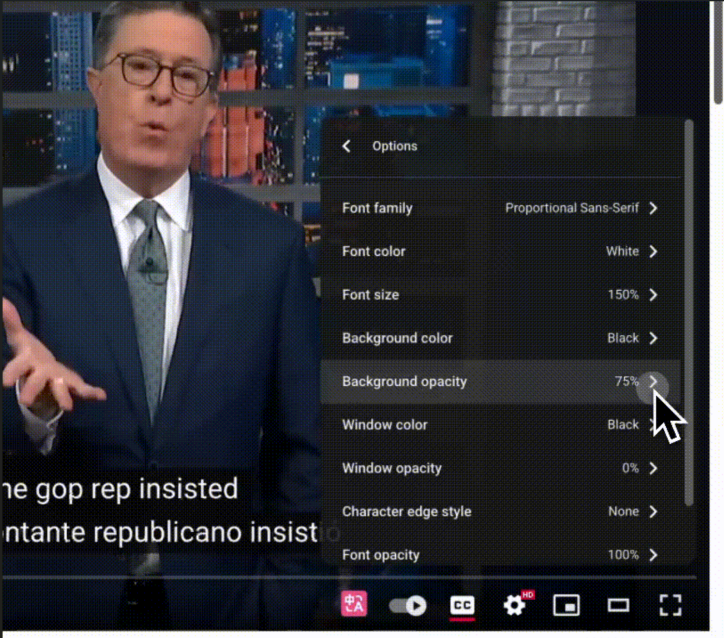
- Customize (optional): Adjust font size, color, or position; edit lines for phrasing tweaks.
Step 5: Translate CC-Less Videos (Pro Members)
- Open the video, click the extension icon, and select "Video Translation."
- Toggle on "Request AI Subtitle" (Pro-only for YouTube/X).
- Set source language to Portuguese and target to Spanish.
- Click "Generate & Translate"—the tool captures audio, transcribes, translates, and optimizes timelines.
- Review and edit: Tweak lines for accuracy.
Step 6: Export or Share
- Personal use: Subtitles stay synced while watching.
- Export: Click "Download subtitles" in the side panel—choose SRT (universal), VTT (web), or TXT.
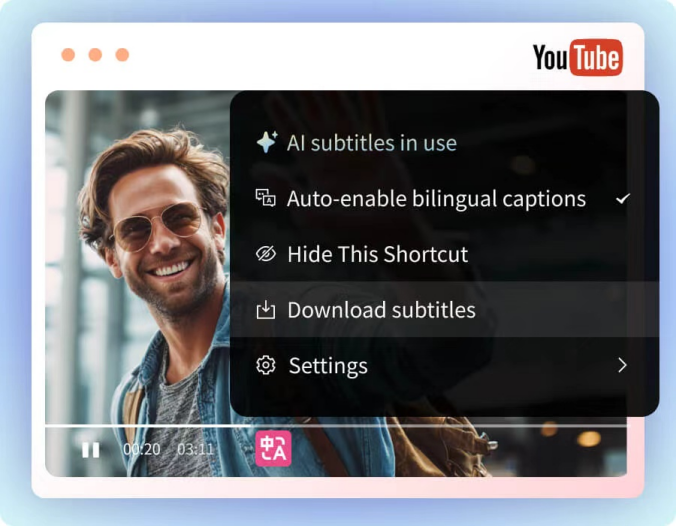
- Share: Upload exported SRT to YouTube as custom subtitles, or share the link—users with the extension see translated subtitles in real time.
Beyond Portuguese to Spanish: Spanish Video Translation Versatility
Immersive Translator isn't limited to Portuguese-to-Spanish—its flexibility covers all Spanish-related needs.
Translate Spanish Video to English
A top use case, whether for documentaries, business videos, or viral content. The process mirrors the above:
- Open the Spanish video (with/without CC).
- Set source language to Spanish, target to English.
- Use AI subtitles (Pro) for CC-less videos, then click "Translation"/"Generate & Translate."
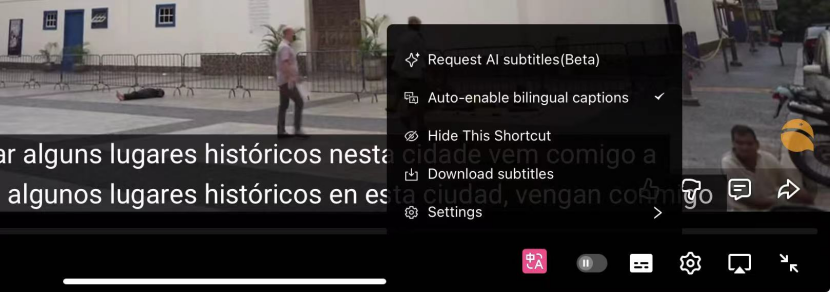
This makes translating a Spanish video to English quick and painless - no manual transcription or professional translators needed.
Translate Video from Any Language to Spanish
Try Immersive Translate?
Translate web pages, PDFs, and video subtitles in real-time. Bilingual display makes foreign language content easier to read.

Need to convert French, Mandarin, or Arabic videos to Spanish? Select the source language in the side panel, set the target to Spanish, and follow the same steps.
Immersive Translator vs. Alternatives
| Feature | Immersive Translator | Generic Browser Translators | Standalone Video Translators |
|---|---|---|---|
| CC-Less Video Support | Yes (Pro, YouTube/X) | No | Yes (low accuracy/slow) |
| Language Support | 100+ (dialect-friendly) | 50+ (limited dialects) | 30+ (major languages only) |
| Translation Accuracy | High (context-aware) | Low-Medium (literal) | Medium (less nuanced) |
| Timeline Sync | Automatic | No | Manual adjustment needed |
| Export Formats | SRT, VTT, TXT | None | SRT/VTT (paid plans often required) |
| Platform Compatibility | 50+ sites | Few major platforms | Uploaded videos only |
| Pro Plan Cost | $9.99/month | Free (limited) | $16+/month |
Pro Tips for Perfect Video Translation
- Match Dialects: Brazilian Portuguese → Latin American Spanish, European Portuguese → European Spanish for authenticity.
- Custom Glossary (Pro): Add industry jargon to ensure consistent translations.
- Optimize Audio: Minimize background noise for accurate AI transcription; use "Enhance Audio" (Pro) for poor quality.
- Batch Process (Pro): Translate multiple videos at once to save time.
- Adjust Timing: Drag timestamps in the side panel for fast-paced dialogue.
- Multi-Device Test: Ensure subtitles display correctly on phones, tablets, and computers.
Common Questions
Q: Can I use the free plan to translate video from Portuguese to Spanish?
A: Yes—for videos with CC. Pro is required for CC-less videos.
Q: Does it work offline?
A: No—internet is needed for processing, but exported subtitles work offline.
Q: How accurate is AI subtitle generation?
A: 95%+ for clear audio; edit lines easily for accents/noisy audio.
Q: Can I translate videos over 1 hour?
A: Yes—split long videos into multiple SRT files for easier editing.
Final Thoughts
Translating video from Portuguese to Spanish no longer has to be tedious. Immersive Translator delivers accurate, synced subtitles in minutes—for CC and CC-less videos (Pro). It also handles translating videos from Spanish to English and other languages, making it a versatile tool for creators, professionals, and learners. With its intuitive design, high accuracy, and great Pro value, it simplifies cross-language content sharing. Install Immersive Translator today and unlock seamless video translation—you'll wonder how you managed without it.